What Happens to Your Account During a Boost (Hour by Hour)

You place the order, hand over your login, and hit the confirmation button. Now what? Most players have no idea what actually happens next — not in vague terms, but hour by hour, from the moment the booster logs in to the moment your rank resets at your new MMR. This guide breaks it down completely.
Whether you are curious, cautious, or just want to know what to expect, this is the honest play-by-play of a real Dota 2 boost from start to finish.
What You Will Learn
Hour 0 to Hour 1 — The Setup Phase
The moment you complete your order and submit credentials, the service assigns a booster. At a professional service like TeamSmurf, this is not random. The right booster is matched to your bracket — someone with a proven track record at your target rank and above, playing the meta roles you need. The assignment itself takes anywhere from a few minutes to under an hour depending on queue availability.
Login and Account Verification
The booster’s first step is verifying access. They log into Steam using your credentials, confirm the account loads correctly, and check that the rank displayed on file matches reality. This matters because MMR boosting prices are based on your current bracket, and any discrepancy needs to be flagged before work starts.
What gets checked in this first window:
- Current rank and MMR visible in the profile
- Behavior score (very low scores can affect queue quality and are noted)
- Active hero challenges or battle pass quests (some clients ask boosters to complete these)
- Whether solo queue or party queue is specified in the order
- Any special instructions — heroes to play, heroes to avoid, preferred roles
Offline Mode and VPN Setup
Before queuing a single game, a professional booster activates offline mode on Steam so your friends list does not show you as online. This is the single most important privacy step in the whole process — it prevents your regular friends from noticing anything unusual.
Alongside offline mode, most reputable services use a VPN matched to your region so that your login IP matches your usual country. This prevents Steam from triggering a suspicious location flag or locking the account during an active session. The VPN selection is deliberate, not automatic — a booster working on a European account will use a server geographically close to the account owner’s normal location.
The First Queue
With everything verified and privacy settings in place, the booster enters ranked matchmaking. The queue time varies by bracket and region — lower and mid-bracket games in the EU or US typically find a match in 2-4 minutes, while higher brackets or off-peak hours can stretch to 10 minutes or more per queue.
Hour 1 to Hour 4 — The First Games
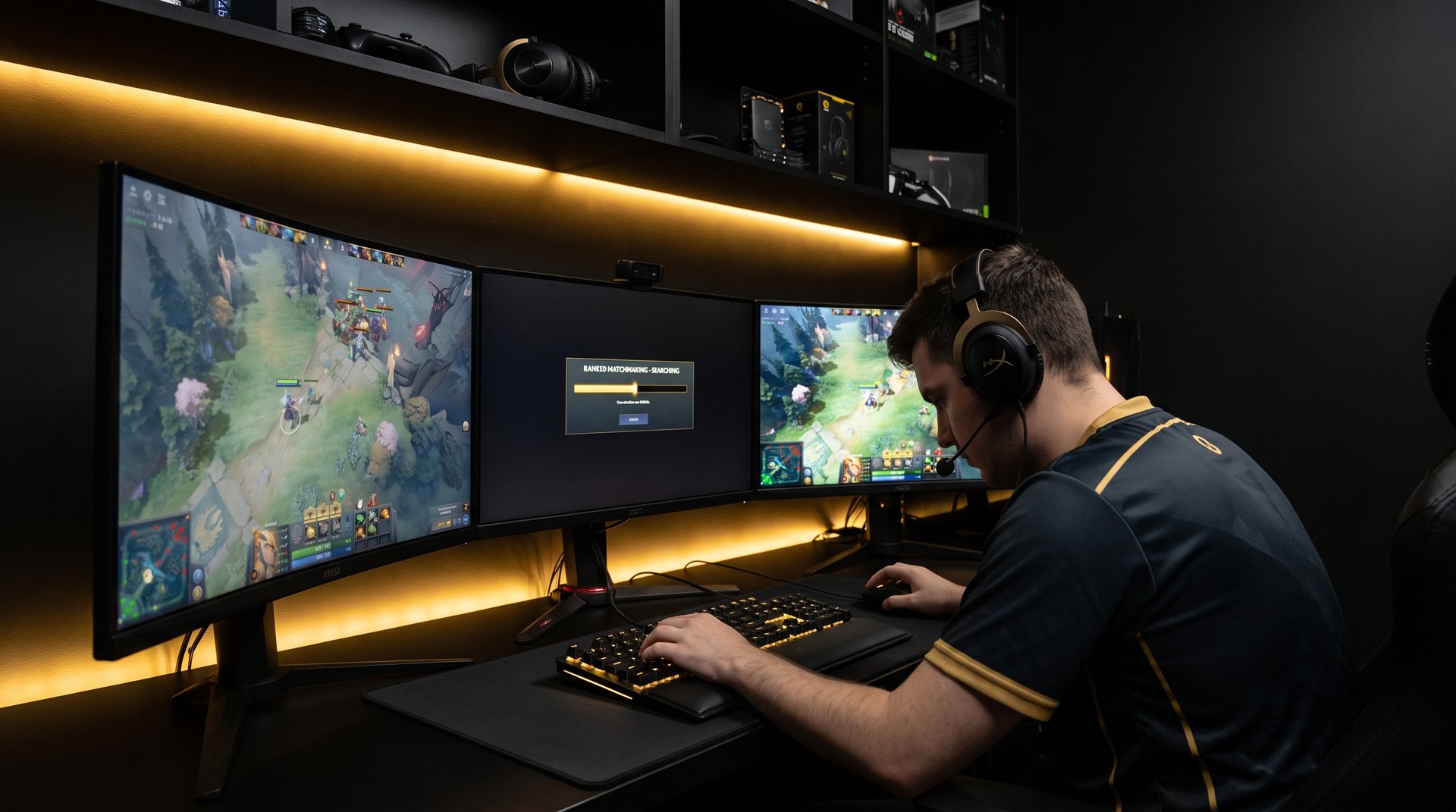
The first few games of a boost are where the booster calibrates to your account’s hero pool and item builds. An experienced booster does not come in and force their usual heroes — they check what heroes the account has played recently, what item paths the account history shows, and adapt to avoid playing in a style that looks jarring compared to your normal games.
Game 1 — Reading the Account
The first game serves as a read of the bracket. Even if the booster has played thousands of games at this rank, every account has quirks: a different server cluster, a different average draft style, a different level of coordination. The booster plays to win, but they are also gathering information about what the games look like here, right now.
A 40-55 minute Dota game at this stage means the first match completes somewhere in the Hour 1 to Hour 2 window. Add draft time and post-game loading and you are looking at roughly 50-70 minutes per game including overhead. That means Hour 1 to Hour 4 typically covers 2-3 completed games.
What Your MMR Looks Like in This Window
After 2-3 wins, you might already see +75 to +100 MMR on the account depending on the calibration. Some boosters hit a win streak immediately; others split 1-2 in the first session. The start is rarely a straight line up. What matters more over a full boost is the winrate across 30+ games, not the first three.
At TeamSmurf, boosters maintain a 70-80% winrate across all orders. That means in any given 3-game window, you should expect 2 wins and 1 loss on average, though streaks in either direction happen regularly in Dota’s matchmaking.
Hour 4 to Hour 12 — Mid-Boost Progress
By hour 4, the booster is in rhythm. They understand your bracket, they have a feel for the queue on your account’s server, and the games are flowing. This mid-boost window is where the bulk of the MMR gain usually happens — it represents 5-8 more games depending on game length and queuing efficiency.
How the Booster Manages Your Settings
A good booster does not change anything they do not need to change. Your settings — hotkeys, camera speed, fog of war settings, chat preferences — stay exactly as you left them. The only settings typically adjusted are offline mode (already done) and occasionally the game client language if there is a performance reason, though this is rare and always reverted after the session.
Inventory management is worth noting separately. Boosters buy items from in-game gold, not from your Steam wallet. Your Steam Wallet balance is never touched. If your account has dota plus active, the booster may use it for item suggestions, but they do not purchase or activate anything requiring real money.
Breaks and Session Lengths
Boosters are human and sessions have natural breaks. A professional booster typically plays in 3-5 game sessions, takes a 30-60 minute break, and continues. This is normal and expected. Most full boost orders (e.g., Archon to Legend, 300-400 MMR) are completed across 2-3 sessions over 1-3 days rather than in a single marathon run.
If your order includes a note about time sensitivity — for example, “need this done before Saturday for the team stack” — communicate that when ordering. TeamSmurf boosters can prioritize availability for urgent orders.
Communication During the Boost
At the mid-boost stage, you can check your account’s match history at any time from outside the game (via a third-party tracker or Dota’s in-game profile on another device) to see progress. Many clients like to watch the numbers tick up passively rather than logging in, since logging in while the booster is active would cause a conflict.
TeamSmurf provides order status updates through the dashboard. You do not need to message the support team every few hours — progress is logged and visible.
Hour 12 to Hour 24 — The Heavy Lifting
Larger orders — Legend to Ancient, 500+ MMR — extend well past the first day. In the Hour 12-24 range you are likely into the second session, and the booster is pushing deeper into the target bracket. This is where the games get harder because the matchmaking has recalibrated upward and the booster is now facing opponents closer to the target MMR.
Why Games Get Harder as the Boost Progresses
Dota 2’s matchmaking system responds to winrate. An account that has won 8 of its last 10 games will be placed against tougher opponents to bring the winrate back toward 50%. Professional boosters are aware of this and adjust their hero picks accordingly — often switching to safer, more consistent carries or supports rather than high-skill-ceiling heroes that require peak performance every game.
This also explains why the boost stays safe throughout — the booster is playing at a level well above the target bracket, so even in a “harder” game relative to earlier, they are still playing with a meaningful skill advantage over their opponents.
Session Timing by Bracket
Not all brackets are equal for timing. Here is what the Hour 12-24 window typically looks like by target rank:
| Target Rank | Typical Completion Time | Games Required | Booster’s Approach |
|---|---|---|---|
| Herald to Guardian | 6-12 hours | 8-15 games | Stomp heroes, fast games |
| Crusader to Archon | 12-24 hours | 15-25 games | Consistent meta picks |
| Legend to Ancient | 1-2 days | 25-40 games | High winrate cores/supports |
| Divine to Immortal | 2-4 days | 40-60 games | Highest skill heroes, selective queuing |
Full Hour-by-Hour Timeline
Here is the complete timeline for a typical boost order from order placement to completion:
| Time Window | What Is Happening | MMR Change | Visibility Risk |
|---|---|---|---|
| Order placed | Assignment and booster matching | None yet | None |
| Hour 0-1 | Login, VPN, offline mode, account review | None | Minimal — offline mode active |
| Hour 1-2 | First 1-2 games | +25 to +50 | Very low |
| Hour 2-4 | Games 2-4, bracket calibration | +50 to +100 | Very low |
| Hour 4-8 | Core session, 4-6 more games | +100 to +200 | Low |
| Hour 8-12 | Break + second session begins | +150 to +250 | Low |
| Hour 12-24 | Deep progress, harder matchmaking | +200 to +400 | Low with proper VPN |
| Final hour | Target rank reached, booster logs out | Target MMR hit | None after logout |
The MMR change column shows typical ranges for a 200-400 MMR order. Larger orders scale linearly in games but the per-game MMR gain (+25 per win) stays constant throughout.
What the Booster Does and Does Not Touch

One of the most common concerns from first-time buyers is what the booster can or will access on the account. This is a fair question, so here is the straight answer.
What They Play
Ranked matches only. The booster queues ranked solo (or party if your order specifies duo boost), plays the game, and moves on. They do not queue unranked, battle cup, or custom games unless those are specifically included in your order. Your casual game history and unranked stats are untouched.
Steam Wallet and Items
Your Steam Wallet is completely off-limits. A professional booster has no reason to touch it and a reputable service has policies explicitly prohibiting this. The booster buys in-game gold items using your hero’s gold economy within the match — Aghanim’s Scepter, Linkens, BKB — those are all purchased with match gold, not Steam funds.
Your Steam inventory (cosmetic items, arcanas, sets) is not touched. If the booster uses a different courier or hero skin than you normally would, it is only because they prefer a specific cosmetic for performance reasons. Nothing is bought, sold, or transferred from your inventory.
Friends, Chat, and Messages
Boosters do not respond to your Steam chat, Discord friends requests via Steam, or any messages in your chat log. If a friend sends you a message while the boost is active, it sits unread. The booster will not reply as you — that is both unprofessional and a risk they have no reason to take. If you are worried about a specific person messaging you during the boost window, it is fine to let them know you will be offline for a day or two.
Profile and Privacy Settings
Your profile privacy settings are not changed. If your match history is set to public, it remains public. If it is private, it stays private. The only setting changed is offline mode on the Steam client, which is reverted when the session ends.
After the Boost — What Your Account Looks Like
The boost is done. The booster logs out, offline mode is deactivated, and your account returns to normal. Here is what you will see when you log back in.
Match History
Your recent matches will show a run of ranked games with a high winrate. The heroes played will be those the booster favored — typically strong meta picks in your bracket. The game timestamps will reflect the hours the boost was active. This is the only visible record that work was done, and it only matters if someone actively checks your recent match history and compares it to your previous playstyle.
If you plan to play with friends who might notice, it is fine to play a few games in your normal style to “reset” the recent history visually. Your rank is what it is — that part does not change back.
Your New MMR
The number in your profile reflects your actual current rank. You are where the booster left you. If you ordered a Crusader 3 to Legend 1 boost, you are now at Legend 1. The rank is real and reflects games won at that bracket by a player performing at that level.
What happens next is up to you. If you want to maintain the new rank, check out the MMR guide for tips on how to play at your new bracket. If you want to push further, you can place another order or grind it yourself from the new baseline.
Behavior Score
Your behavior score should be unchanged or slightly improved, since professional boosters do not abandon games, use voice chat aggressively, or draw reports. A booster who does not talk is better behaved than a lot of pub players. If anything, a clean 20-game run can nudge a borderline score upward.
What a Good Service Does Differently
Not every boost service follows these protocols. Lower-quality or freelance boosters cut corners that create real risk for your account. Here is what distinguishes a professional boosting service in terms of process:
- Offline mode always on. No exceptions. If a service does not confirm this, assume it is not happening.
- VPN matched to your region. Logging in from a server in a different country creates an IP flag on your Steam account that can trigger a security lock.
- No abandoned games. An abandoned game in ranked immediately damages behavior score and can result in a temporary low-priority queue. Professional boosters never abandon.
- No account sharing during active sessions. You should not be logging into the game while the booster is active. A reputable service will tell you this clearly and coordinate handoff times.
- Clear completion notification. You should know exactly when the boost is done so you can log back in safely. A service that goes dark after completion is not one to trust.
At TeamSmurf, every booster is vetted and trained on these protocols before handling client accounts. If you are comparing Dota 2 MMR boost options, these process details are the things worth asking about — not just price.
The Handoff Back to You
The final step is the handoff. Your order is marked complete in the dashboard, you receive a notification, and you log back in to find your account at the target rank. The booster has logged out, offline mode has been deactivated, and your Steam account looks completely normal to anyone who checks it.
The whole experience, from order placement to account return, is designed to be invisible. No one watching your profile should be able to tell anything happened beyond “this player went on a good run.” That is the goal of a professional boost — measurable progress without drama.
If you want to go further — push another 200 MMR, recalibrate at the new rank, or work with a coach to hold your ground — check out TeamSmurf coaching as the natural next step after a boost.
Ready to Start Your Boost?
TeamSmurf runs every boost with offline mode, region-matched VPNs, and professional boosters who never abandon. Your account is handled cleanly from Hour 0 to completion.