


How to Surrender in Dota 2 (and Why “GG” Only Works in Some Modes)

Every Dota 2 player eventually faces a game where things spiral beyond recovery — towers gone in 15 minutes, a carry that fed five times before the 10-minute mark, or a team composition that simply cannot win. When you reach that point, the surrender system gives you a clean exit. But the GG call in Dota 2 works differently depending on which game mode you are in, and understanding the rules saves you from frustration and accidental abandon penalties.
This guide covers everything: how to initiate a surrender vote, what the voting rules are for each mode, the time restrictions that prevent early rage-quits, and — crucially — why calling GG through the official system is completely different from abandoning a match on your own.
In This Guide
How to Initiate a Surrender Vote in Dota 2
There are two ways to start a GG vote in Dota 2:
- Press F9 — the default keyboard shortcut. This immediately puts a surrender vote on screen for your entire team.
- Type “gg” in team chat — typing “gg” (without quotes) in the team chat channel also triggers a formal GG vote. This only works in team chat, not all-chat.
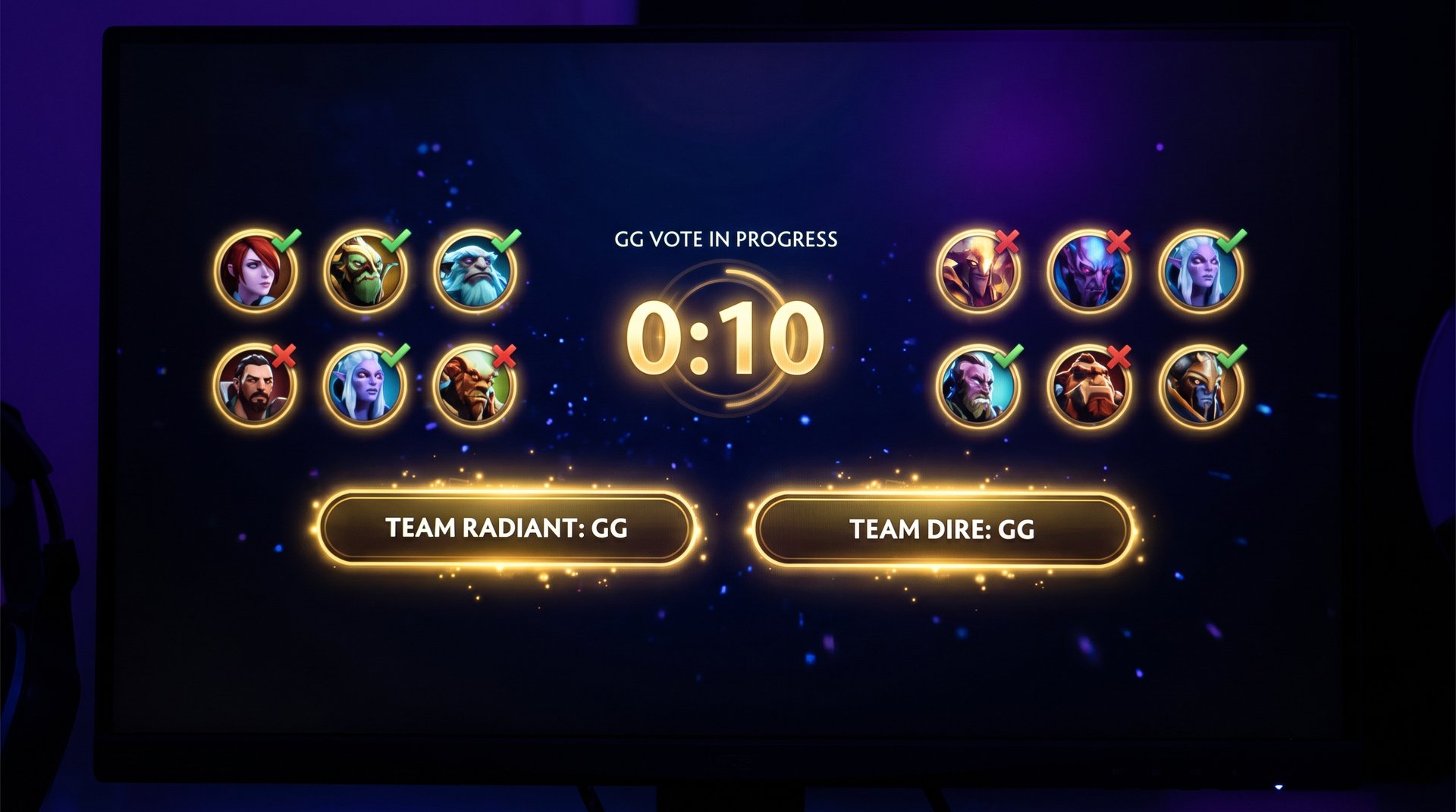
When you initiate a vote, a prompt appears for each of your four teammates asking them to accept or decline. The vote stays open for roughly 30 seconds. You can rebind F9 in the Dota 2 settings under Hotkeys if the default conflicts with something else in your setup.
One thing that trips up newer players: calling GG in all-chat does not trigger the vote. All-chat “gg” is just a message to the enemy team acknowledging the game — it has no mechanical function. The functional surrender trigger is team-chat-only or the F9 hotkey.
Voting Mechanics: How Many Votes Are Needed
The number of votes needed to pass a surrender differs between standard modes and special cases. Here is the full breakdown:
| Game Mode | Votes Required | Notes |
|---|---|---|
| All Pick (Ranked) | All 5 players | Full team unanimity required |
| Captain’s Mode | All 5 players | Same as ranked All Pick |
| All Draft | All 5 players | Standard party or solo queue |
| Random Draft | All 5 players | Full unanimous vote |
| Single Draft | All 5 players | Same standard rules |
| Ability Draft | All 5 players | Standard 5-of-5 requirement |
| Turbo Mode | 4 out of 5 | One dissenter cannot block it |
| Low Priority Queue | All 5 players | Same rules as standard modes |
The reason standard ranked modes require all five votes is by design. In a competitive match where every player has real MMR at stake, one player should not be able to force a surrender on four teammates who still believe they can win. The unanimous requirement means that as long as even one player believes the game is recoverable, the team keeps playing.
This design creates friction occasionally — a player determined to hold a hopeless game hostage — but it also prevents the opposite problem: one demoralized player forcing the other four to concede a game that was genuinely winnable. Valve has consistently kept the 5-of-5 rule in standard modes for this reason.
In Turbo, the philosophy is different. Games are shorter and less consequential for MMR calibration, so a single die-hard refusing to surrender cannot hold the other four hostage indefinitely. A 4-of-5 majority is enough to end the game.
Time Restrictions on GG Calls
You cannot call a GG vote at any point in the game. Dota 2 enforces a minimum game duration before the surrender option becomes available. This is one of the most commonly misunderstood rules for newer players who wonder why pressing F9 seems to do nothing.
In standard modes (All Pick, Ranked, Captain’s Mode, All Draft), a GG vote cannot be initiated until at least 30 minutes have passed on the in-game clock. Before that threshold, pressing F9 or typing “gg” in team chat has no effect — the game simply does not process the vote.
In Turbo Mode, the restriction is shorter to match the mode’s faster pacing. GG votes become available after roughly 15 minutes of in-game time.
| Mode | GG Available After | Reason |
|---|---|---|
| All Pick (Ranked) | 30 minutes | Comeback window must be honored |
| Captain’s Mode | 30 minutes | Same as ranked |
| All Draft / Random Draft | 30 minutes | Standard unranked rule |
| Single Draft / Ability Draft | 30 minutes | Standard unranked rule |
| Turbo Mode | ~15 minutes | Shorter game, faster pacing |
The 30-minute restriction exists because Dota 2 comebacks are genuinely possible before that point — in fact they are common at most skill levels. A team with a late-game lineup, an unexpected Aegis pickup, or a key team fight going their way can reverse a significant deficit. The time lock forces both teams to at least attempt a proper mid-game before the surrender option opens.
Which Game Modes Support the GG Vote System
The formal GG vote system (F9 or “gg” in team chat) is available in most modes where you queue as a standard 5-player match. Here is a mode-by-mode breakdown:
Modes With Standard GG Voting (5-of-5, 30 min)
- All Pick (Ranked and Unranked) — both versions support GG voting. The rules are identical: 5-of-5 required, available after 30 minutes.
- All Draft — the default unranked mode uses the same surrender rules as ranked All Pick.
- Captain’s Mode — used in pro play and high-MMR party stacks. The full unanimous GG system applies without exception.
- Random Draft — the mode that gives each player a randomised pool to pick from. GG voting is identical to All Pick.
- Single Draft — same 5-of-5 rules. Worth noting because Single Draft is often the default Low Priority queue mode.
- Ability Draft — standard 5-of-5 GG rules apply here too.
Modes Where GG Works Differently or Is Modified
- Turbo — 4-of-5 votes required, minimum 15 minutes. Covered in the next section.
- Practice Lobby / Custom Games — custom game modes have their own mechanics depending on what the map creator implemented. The standard F9 system may not apply.
If you are playing a mode that counts for MMR, you can rely on the standard GG system being in place. The main exception — Turbo — is well known to regular players and has its own rules covered below.
Turbo Mode: How GG Works Differently
Turbo is the fast-paced version of Dota 2 where gold and experience rates are accelerated, towers are significantly weaker, and games typically finish in 20-35 minutes rather than the 40-55 minute average of ranked matches. It has its own surrender rules that reflect this design philosophy.
In Turbo, the GG vote system works as follows:
- The vote requires 4 out of 5 players to agree, not all five.
- The minimum time before a GG vote can be called is approximately 15 minutes.
- A single player cannot veto a surrender if the other four want to end it.
This design makes sense for Turbo’s context. The games are shorter, and Turbo does not contribute to calibrated ranked MMR the same way standard modes do. Allowing one player to block a surrender indefinitely in a 4v5 mentality situation would undermine the casual, reduced-stakes experience the mode is intended to provide.
The practical effect: if you are in a genuinely terrible Turbo game where four players have checked out, the mode actually lets you end it quickly. This is very different from ranked, where you may spend 20 minutes arguing through the chat about whether to GG while the game has already been decided.
Note that even in Turbo, the low-stakes structure of the mode means the impact on your ranking is minimal. Sometimes it is worth just playing out a Turbo game even if you are behind, purely for the practice value.
What Happens When a GG Vote Passes
When the required votes are confirmed, the sequence is immediate and clean:
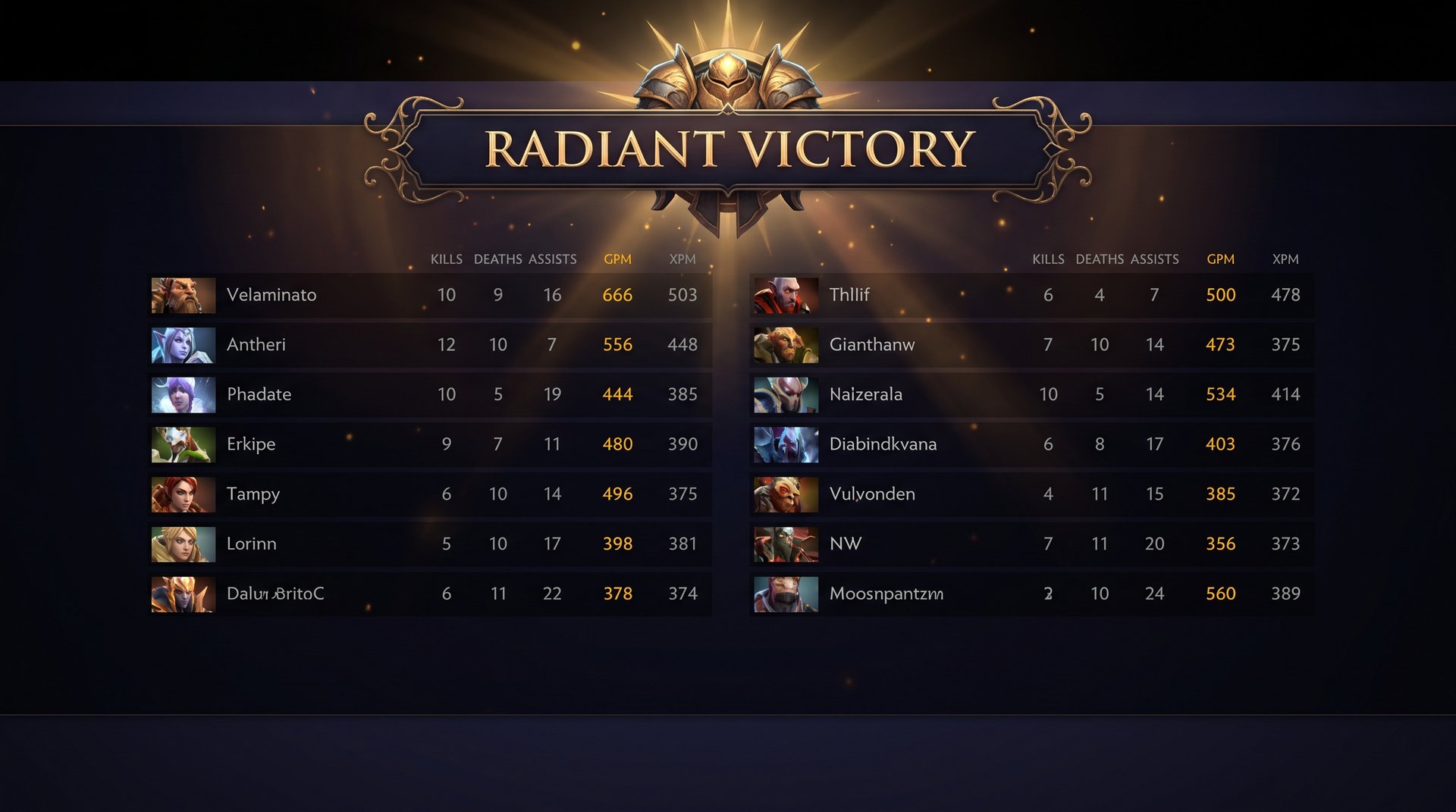
- The game ends without the Ancient destruction animation. You skip the usual “Ancient explodes, Nexus falls” sequence. The game simply concludes once the vote threshold is met.
- The end-game score screen appears immediately. You see the full match summary: kills, deaths, assists, GPM, XPM, net worth, and hero damage for all ten players on both teams.
- MMR is calculated and applied as a normal defeat. There is no softened MMR loss because you surrendered gracefully. A loss is a loss. The same MMR you would have lost by playing to the Ancient going down is deducted from your rating.
- No abandon penalty is applied. This is the most important outcome — your Behavior Score remains unchanged and you do not accrue any flags toward Low Priority queue.
- The match is recorded normally in your match history. It appears as a regular defeat with the same data as any other completed game. There is no special surrender marker visible to other players who check your history.
One thing that surprises some players: the surrendering team still takes the full MMR hit. The system does not distinguish between “we GG’d at 35 minutes” and “the Ancient fell at 52 minutes.” The defeat is the defeat. Surrendering does not reduce the MMR loss, it just ends the experience more quickly so you can move on to the next game.
GG vs Abandoning: The Critical Difference
This section is the most important for ranked players. A GG call through the official vote system and simply abandoning the match by leaving the client are treated completely differently by Valve’s backend — and the difference matters significantly for your account standing.
| Action | MMR Change | Behavior Score | Low Priority Risk | Match Recorded As |
|---|---|---|---|---|
| GG Vote Passes | Normal loss applied | No penalty | No | Normal defeat |
| Player Abandons Solo | Normal loss applied | Reduced | Yes (repeated offenses) | Abandonment flag |
When you abandon a match — whether by closing the client, getting disconnected and not reconnecting before the safe-to-leave timer expires, or simply going AFK until the system flags you — Dota 2 records it as an abandonment. Here is what that means in practice:
- Your Behavior Score drops. This is Dota 2’s internal sportsmanship metric. Lower behavior scores match you with other low-score players, creating a loop of increasingly frustrating games.
- Repeated abandons trigger Low Priority queue. This forces you to win a set number of games in a separate pool — often with Single Draft only — before you can return to normal ranked matchmaking. The games in Low Priority are notably more chaotic and difficult to win.
- Your teammates also suffer. When you abandon, your team finishes the game short-handed. This affects four other people’s MMR and ruins their match. This is why the behavior score penalty exists — Valve is trying to internalize that cost onto the person making the choice.
A GG vote carries none of those consequences. Your behavior score is unaffected. No abandon flag is recorded. Your teammates finish the game cleanly. The only consequence is the MMR loss itself — which is the same whether you GG or play to the Ancient going down.
For a complete breakdown of how abandon penalties accumulate and what they actually cost in ranked, see our full guide to abandoning and MMR penalties in Dota 2.
The practical rule is simple: if you want to leave a losing game, always do it through the GG vote. Never just close the client. If your teammates vote it down, stay in the game. The discomfort of playing out a bad match is far less costly than the behavior score damage and Low Priority queue time that accumulates from repeated solo abandons.
Tips for Using the Surrender System Smartly
The GG system exists to prevent misery, not to be used as a reflexive reaction to any bad moment. Understanding when a surrender is justified versus when it is premature will save you MMR and make your ranked experience significantly more positive.
Situations Where GG Is Actually Justified
- Multiple cores are far behind in farm and the item gap is decisive. If your two main damage dealers are 6-8 items behind their counterparts and you are past 40 minutes, the item scaling math is usually final.
- Two or more players have already abandoned. A 5v3 situation without the disconnected players’ consent is almost never worth continuing at any skill level.
- You are playing into a structural counter lineup with no item counterplay. Some draft mismatches are genuinely unrecoverable when both teams are playing well.
- The game clock is deep (45+ minutes) and you have never contested Roshan or taken a single tier-three tower. Extreme disadvantage over a long duration without any momentum shift is a meaningful indicator.
Situations Where GG Is Premature
- Before 30 minutes. Not only will the system block the vote, but the game is genuinely not decided at this stage in most matchups. Requesting GG before the timer is just adding stress to your team.
- After one bad team fight in the early-to-mid game. A single catastrophic fight at 15-20 minutes leaves the game in a difficult but recoverable state. Dota comebacks happen constantly at every skill level.
- When your team still has buybacks available and the enemy lacks an Aegis. The next high-ground push can go very differently if your team has the gold to buy back on key heroes. Wait to see how it plays out.
- When your lineup is a late-game scaling composition. Heroes like Medusa, Spectre, Terrorblade, and Morphling are expected to be behind in the mid-game. Being at a gold deficit at 25 minutes with one of those cores does not mean the game is over — it means you have not hit your timing yet.
Managing Team Dynamics Around GG Calls
One of the hardest parts of the GG system in standard modes is the unanimous requirement creating friction. When four players want to end a game and one does not, the conversation in chat tends to get hostile quickly. A few practices help:
- If you want to GG, call the vote quietly with F9 rather than typing demands in all-chat first. Let the vote UI speak for itself.
- If you disagree with a GG call, say what specifically you think can still be won — a buyback fight, a Roshan attempt, one more defensive stand at high ground. Concrete plans are more persuasive than “keep fighting” in the abstract.
- Avoid calling GG repeatedly after a failed vote. The cooldown system exists for this reason. Multiple failed GG calls in quick succession are reported as negative behavior by teammates.
If You Are Consistently in GG-Worthy Situations
If you find yourself in games that reach the GG discussion repeatedly, that pattern is worth examining. Common causes include draft awareness issues, early farming efficiency problems, or laning phase decision-making that is generating unrecoverable deficits before the mid-game even begins. If those issues feel structural rather than just unlucky matchups, our MMR improvement guide breaks down the decision trees that high-MMR players use to avoid getting into unwinnable positions in the first place.
Players who want to accelerate out of a bracket where the game patterns feel repetitively frustrating sometimes consider our Dota 2 MMR boost service as a way to reset into a higher-skill environment where the fundamentals are applied more consistently. Before making that call, it is worth reviewing whether Dota 2 boosting is safe for your account and what the actual risk profile looks like — and checking our comparison of the top Dota 2 boosting services if you want to see how TeamSmurf positions against other options in the space.
Quick Reference: Dota 2 Surrender Rules Summary
| Rule | Standard Modes | Turbo Mode |
|---|---|---|
| How to call GG | F9 or “gg” in team chat | Same |
| Votes required | All 5 players | 4 out of 5 |
| Earliest GG call | 30 minutes | ~15 minutes |
| MMR consequence | Normal defeat | Normal defeat |
| Behavior Score impact | None | None |
| Low Priority risk | No | No |
| One player can veto | Yes | No |
Frequently Asked Questions
Stuck in a Losing Streak?
If you are calling GG more often than you would like, the problem usually comes down to draft fundamentals, early-game decision-making, or being in a bracket where the average skill level makes games feel random and unwinnable. Our Dota 2 coaching and MMR boost services are designed to address both the knowledge gaps and the rating itself.


