Immortal Booster AMA: 20 Questions Clients Actually Ask

Every week, clients ask us the same questions before placing their first order. What happens to my account? Do you use a VPN? What if you lose? After thousands of orders completed at TeamSmurf, we handed 20 of the most common pre-order questions to one of our Immortal-ranked boosters and asked him to answer straight. No marketing spin. Just the honest picture from the person actually sitting in your account.
Whether you are about to place your first Dota 2 MMR boost order or you have boosted before and want to understand how TeamSmurf specifically operates, this post covers everything buyers actually care about.
What We Cover
Account Safety & Bans
The ban question is always the first one. It is the right question to ask. Here is exactly how Valve’s detection systems work and where the real risk sits.
Q1: Will my account actually get banned for being boosted?
Valve bans accounts for boosting, but enforcement is not a live dragnet. It runs in waves and relies primarily on automated behavior-analysis signals — unusual hero pools, playtime clustering, win-rate spikes inconsistent with the account’s history. The accounts that get caught are usually those boosted by careless operators who ignore obvious signals. At TeamSmurf, every booster is matched to the account’s existing hero pool and role history before a session starts. The session is also paused if any high-risk signals appear — sudden party invites from strangers, unusually high observer counts, or support tickets queued against the account. The honest answer is that no service can offer a zero-risk guarantee because Valve is always iterating its detection. What separates services is the discipline applied to reducing that risk systematically. Read more about how we approach this on our is Dota 2 boosting safe page.
Q2: Does Valve actually detect boosting in real time?
No, not in real time in the way most people imagine. Valve’s systems are retrospective. They analyze large data windows — weeks or months of game data — and flag accounts that fall outside statistical norms for their rating. A single unusual session is very unlikely to trigger anything. It is a pattern of sessions that creates detectable signals. This is one reason TeamSmurf limits boost sessions to reasonable daily quotas rather than running an account 16 hours straight, which would create an obvious behavioral fingerprint.
Q3: What happens if I do get flagged — is there any recourse?
If Valve flags an account for boosting, the typical action is a ranked ban rather than an account ban. The account loses its ranked queue access for a period. Full account bans for boosting alone are rare and typically tied to accounts already carrying prior violations. If something goes wrong on our end — for instance a session pattern we should have caught earlier — TeamSmurf’s refund and rebook policy covers the order. That is detailed in the guarantee section below. What we cannot do is reverse a Valve decision, because no third party can. We can refund your order cost, but we cannot restore a penalty Valve applies.
Q4: Is there a safer time of year to boost?
Outside major calibration windows tends to be lower scrutiny because Valve focuses enforcement effort around ranked resets when abusive behavior spikes broadly. Mid-season — which is where September sits right now — is historically a quieter enforcement period. That said, “safer” is relative, not absolute. The per-session discipline matters more than the calendar.
VPN & Technical Security
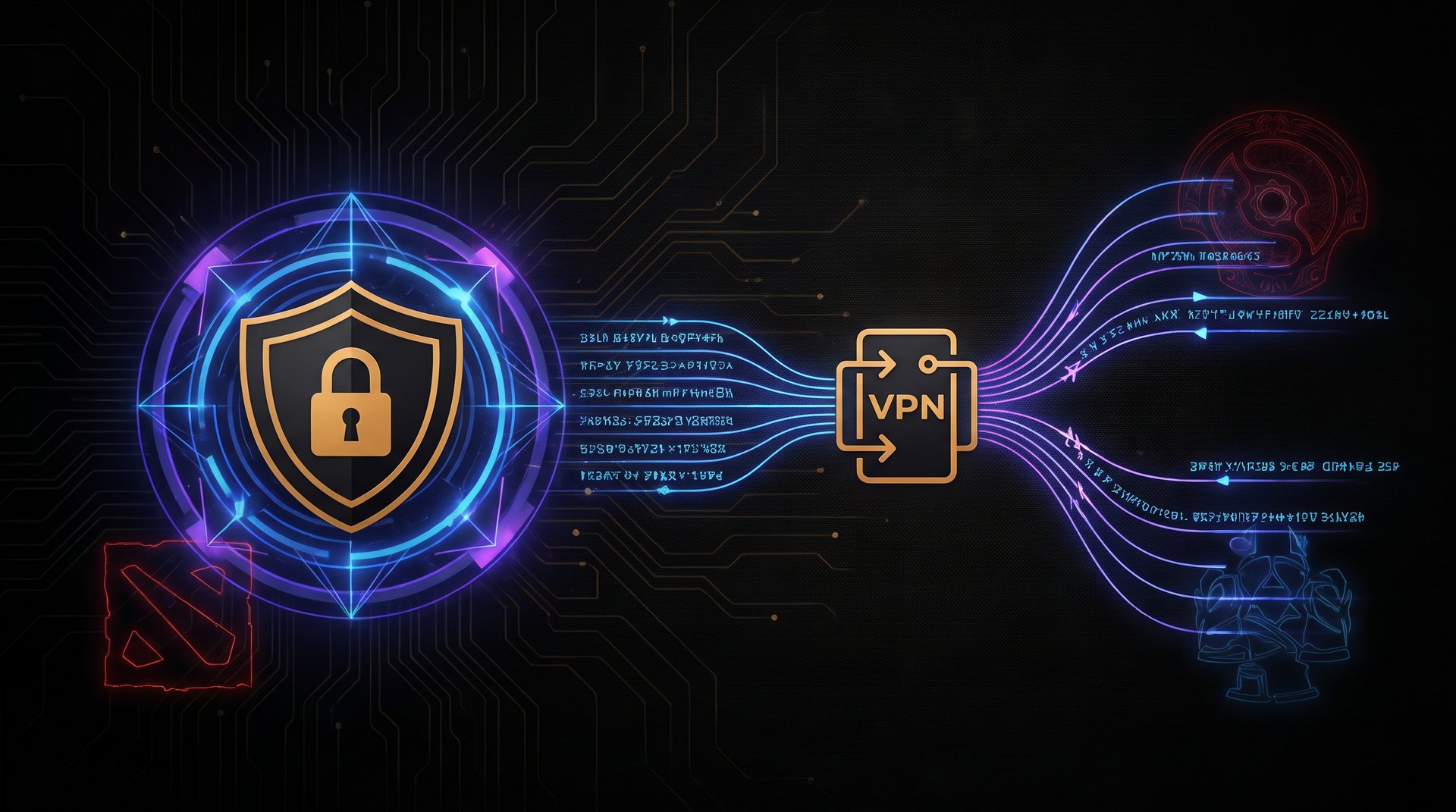
VPN questions come up almost as often as ban questions. The short answer is yes, we use them — here is the full picture.
Q5: Do your boosters use VPNs?
Yes. Every TeamSmurf booster uses a VPN geolocated as close as possible to the client’s country or city before logging into the account. The goal is to minimize the IP-location delta that Valve’s account-security checks can detect. If you log in from Dubai and the booster logs in with a VPN exit node also in the UAE or a nearby country, the login looks like a normal travel or ISP change. If the booster logged in bare from Eastern Europe with no VPN, that is a flag. VPN discipline is part of our booster onboarding — it is not optional.
Q6: Can Valve actually see through VPNs?
Valve can detect that a login came through a commercial VPN provider if that provider’s IP range is publicly known, but most of the services we use rotate through residential proxies that do not carry the fingerprint of a data-center VPN. The practical answer is that Valve’s VPN detection is much less reliable than detection of behavioral anomalies inside the game itself. We treat VPN selection as one layer of a defense-in-depth approach, not as the only protection.
Q7: I am in a different country from the booster — is that a problem?
It makes VPN matching more important, not impossible. We ask for your approximate region during order intake so we can assign a booster with access to a relevant exit node. The key data point Valve looks at is whether the login IP is geographically plausible relative to your account’s history. For accounts that routinely travel or use corporate VPNs personally, the threshold for triggering a flag is even higher. If you normally log in from multiple countries anyway, an additional unfamiliar location is far less notable.
Account Access & Sharing
Q8: I have to give you my password — how do I know that is safe?
This is the most personal trust question in the whole transaction, and it deserves a direct answer. You are trusting us with login access to your account. That is real. What protects you is three things. First, TeamSmurf boosters are verified real humans who completed a multi-stage vetting process — not outsourced workers with no accountability. Second, your credentials are transmitted through an encrypted order channel and never stored in plaintext after the session. Third, and most practically, the booster’s incentive is to complete your order cleanly and get paid, not to interfere with your account. Any booster who does something damaging to a client account would be removed from the platform and lose access to future orders. The economics keep everyone aligned. We also recommend enabling Steam Mobile Authenticator and not changing your credentials during the boost, so the booster does not get locked out mid-session and accidentally trigger a recovery flow.
Q9: Will the booster change my settings, hero builds, or hotkeys?
A professional booster should leave your interface exactly as found. We instruct boosters not to change camera settings, hotkeys, item builds, or chat aliases. Some boosters will temporarily disable automatic hero-select options that could reveal the session isn’t the account owner playing, but they restore defaults after. If you have particular settings you care about, note them in the order form — we can flag it explicitly for the assigned booster.
Q10: What should I do while the boost is running?
Stay logged out of Steam on all devices. If you log in on your phone while the booster is in a live game, Steam will force a session conflict that terminates the booster’s connection mid-match. That is a loss on the scoreboard and a disrupted game. Beyond that, you do not need to do anything. You will receive status updates through the order portal. When the session is complete you will get a notification and can log back in. Most clients treat the boost window like a trip — they go live their life and come back to a higher rank.
Communication & Control
Q11: Can I actually talk to my booster directly?
You communicate through TeamSmurf’s order portal, not directly. There is a chat thread attached to your order where you can leave notes, ask for updates, or flag preferences. The booster responds through the same channel. We do not publish boosters’ personal contact details — that protects both sides. If you have an urgent question mid-session, the portal chat is monitored by support staff as well, so you will always get a response even if the booster is in a live game.
Q12: Can I request a specific role, hero pool, or playstyle?
Yes, and you should. The order form has fields for preferred role and hero preferences. If you play a very specific hero pool and want your account to look consistent, list the heroes. Boosters will prioritize those selections. We cannot guarantee every game plays that hero — matchup context matters — but the booster will stay within the role you specify. Avoid requesting heroes or roles dramatically outside what your account history shows; an account that has never played mid suddenly spamming mid heroes is a weaker cover than someone who occasionally plays mid getting a mid-heavy boost.
Q13: Can I pause or stop the boost partway through?
Yes. Open the order portal and request a pause. The booster will finish the current game and stop. You are not billed for uncompleted MMR — if you ordered a 500 MMR boost and stopped at 300 gained, we calculate a partial refund for the undelivered portion. Stopping is cleaner than letting an order run while you are unhappy with it; just communicate through the portal rather than logging into Steam and conflicting the session.
Speed & Delivery
Speed is where expectations most often diverge from reality. Here is the honest math.
Q14: How long does a 1,000 MMR boost actually take?
The range is wide. At lower brackets — Crusader to Archon — a 1,000 MMR boost typically takes 2 to 5 days depending on session length and how many hours per day we run. At Legend through Ancient, expect 4 to 8 days. Divine and Immortal MMR is much slower — queues are longer, opponents are stronger, and single-game swings are smaller per win. A 1,000 MMR boost at Divine may take 10 to 14 days. We post estimated ranges on the MMR boosting guide page for each bracket. If speed is critical, you can pay for an expedited option that assigns a higher-priority booster.
Q15: What if the booster keeps losing games?
Losing streaks happen in Dota 2. Every Immortal player has them — variance is a feature of the game, not a flaw in the service. What matters is net progress over the full order. We track this per session. If an assigned booster has a significantly negative session after adjusting for variance (something like -300 MMR on a 500 MMR order), they are cycled out and a fresh booster takes over. The order continues from wherever the net MMR stands. You do not pay for time spent in a losing streak — you pay for delivered MMR gain.
Q16: What if the booster loses MMR below my starting point?
This is the scenario everyone fears and it does happen occasionally. TeamSmurf’s guarantee covers it: if the net MMR at order completion is below your starting point, we rebook the order at no additional cost until you are at least back to the starting MMR, then continue toward the target. The booster is not penalized financially for variance — but if the loss pattern suggests a skill mismatch rather than bad luck, they are reassigned. We monitor this in real time so you should never see more than one or two MMR-negative sessions before an intervention.
| MMR Bracket | Typical Time per 500 MMR | Estimated Session Length | Difficulty Factor |
|---|---|---|---|
| Herald — Crusader | 1-2 days | 4-6 games/day | Low |
| Archon — Legend | 2-4 days | 5-7 games/day | Medium |
| Ancient | 3-6 days | 4-6 games/day | Medium-High |
| Divine | 5-10 days | 3-5 games/day | High |
| Immortal | 8-16 days | 2-4 games/day | Very High |
Price & Guarantees
Q17: Why does the price per MMR go up at higher brackets?
Two reasons. First, the pool of qualified boosters shrinks dramatically as the target bracket rises. Any Archon can be boosted by a large pool of high-MMR players. An Immortal boost requires someone who can reliably win Immortal lobbies — that is a small group, and their time costs more. Second, the time investment per MMR point increases with bracket because games are longer, queue times are longer, and winrates are naturally lower against stronger opponents. The price you see on our calculator reflects both factors. The best way to see current prices is to use the Dota 2 boost price calculator, which updates as pool availability changes.
Q18: What does the TeamSmurf guarantee actually cover?
The guarantee covers delivery of the purchased MMR gain. If the order is not completed — whether due to a technical problem, a booster issue, or anything on our end — you receive either a full rebook or a refund for the uncompleted portion. The guarantee does not cover Valve-imposed penalties on the account; if you were already on a watchlist before ordering, that is not something we can reverse. It also does not cover orders where the client violated the session rules — like logging in and conflicting the booster mid-game. Those cases are handled on a review basis. For a clean order placed correctly, the guarantee is simple: you get the MMR you paid for. Browse our best Dota 2 boosting services comparison to see how other services handle guarantees — most do not put theirs in writing.
Q19: What is your refund policy if I change my mind?
Orders that have not started are fully refundable. Orders in progress are partially refunded for the undelivered MMR. Once an order is fully completed, we cannot issue a refund based solely on buyer’s remorse — the service was rendered. If there is a genuine quality issue (the account was accessed outside agreed parameters, settings were changed, something was damaged), contact support with specifics and we handle it case by case. Partial pauses and cancellations mid-order are always processed cleanly; the math is straightforward.
Post-Boost Reality
Q20: What stops me from falling back to my old MMR after the boost?
Nothing, if you go back to playing the same way. That is the honest answer, and any service that claims otherwise is lying to you. Boosting raises your number — it does not raise your skill. If there is a gap between your actual skill and the boosted rank, matchmaking will eventually find that gap and push you back down. This is why a growing number of clients pair a boost with coaching. The coaching sessions teach you the mechanics and decision-making that the new rank demands, which makes the rating sticky. We offer coaching through Dota 2 coaching packages that can be bundled with a boost order at a discount. Some clients boost to a target, do three to five coaching sessions at that rank to learn what is expected, and then stay there comfortably. Others boost and accept they will drift — which is a valid choice if the goal was a temporary rank display rather than long-term improvement. Know what your goal is before you order, and the outcome will meet it.
The Short Version: What You Actually Need to Know Before Ordering
If you are skimming, here is the condensed version. VPNs protect you from IP flags; behavioral consistency protects you from in-game detection. Your credentials are safer than most people assume when handled by an accountable professional. The booster will not change your settings. Communication runs through the order portal and works well. Timelines depend entirely on your bracket — the higher you are, the longer it takes per MMR point. The guarantee covers delivered MMR; it does not reverse Valve decisions or cover client-side rule violations. Falling back after the boost is real if you do not close the skill gap — coaching is the fix for that.
Any question not answered here can be put to our support team before you place an order. We would rather answer 10 questions upfront than handle a confused client mid-session. The more you understand about how the process works, the smoother the order runs for both sides.
Ready to Place Your Order?
You have read the real answers. Now you know exactly what you are buying and how it works. TeamSmurf’s Immortal-ranked boosters are ready to start — transparent process, written guarantee, and a support team you can reach any time during your order.