How to Check Your Real MMR in 2026: Client, Stratz, Dotabuff

Your Dota 2 MMR is one number, but it shows up in at least three different places — and they do not always agree. If you have ever finished a match, jumped to Dotabuff, and seen a different figure than the one in your profile, you are not imagining things. The discrepancies are real, explainable, and actually useful once you know what each tool is measuring.
This guide walks you through every reliable method for checking your real MMR in 2026: the Dota 2 client itself, Stratz, and Dotabuff. We cover why the numbers can drift, what Valve’s confidence system actually does, and how the Medal on your profile can hide what your MMR is quietly doing underneath.
Whether you are coming back after a break, freshly recalibrated, or just trying to understand why Stratz shows a different number than your profile — by the end of this guide you will know exactly where to look, which number to trust, and what to do with the information.
In This Guide
What “Real MMR” Actually Means in Dota 2
MMR stands for Matchmaking Rating, and in Dota 2 it is the single integer Valve uses to estimate your skill level and pair you with opponents of similar ability. The number itself is straightforward: win a ranked game and it goes up (typically 25-30 points), lose and it drops by about the same amount. Play enough games and the number converges toward your true skill level.
When players talk about their “real MMR,” they usually mean one of two things:
- The exact confirmed integer — the number Valve’s system has on file for your account right now, displayed in your profile.
- The MMR bracket they “deserve” — a more philosophical idea about where they would land if they played consistently at their best without tilted sessions, bad teammates, or external variance.
This guide focuses on the first definition — the cold, exact number. The second is something you earn through consistent play over many games, and no tool can shortcut that reality. If you want to skip the grind and jump to a target bracket, TeamSmurf’s Dota 2 boosting services exist for exactly that scenario. But the first step is always knowing where you actually stand right now.
Solo MMR and Party MMR: A Brief History
Until 2022, Valve tracked two separate MMR figures: one for solo queue games and one for party queue games. These could diverge by hundreds of points depending on how often you played each mode. In 2022, Valve unified both into a single MMR that affects the same medal, regardless of whether you queue alone or with a stack. That unified number is what all three tools below are reading from the same API source.
Method 1: Checking Your MMR in the Dota 2 Client
The Dota 2 client is the only place where you can see your exact MMR at the exact moment you are looking at it. It pulls directly from the Valve server, so there is no sync delay and no API caching layer. This is the ground truth for your MMR number.
Step-by-Step Instructions
- Launch Dota 2 and wait for the main menu to fully load.
- Click your avatar in the top-left corner of the main menu. This opens your player profile.
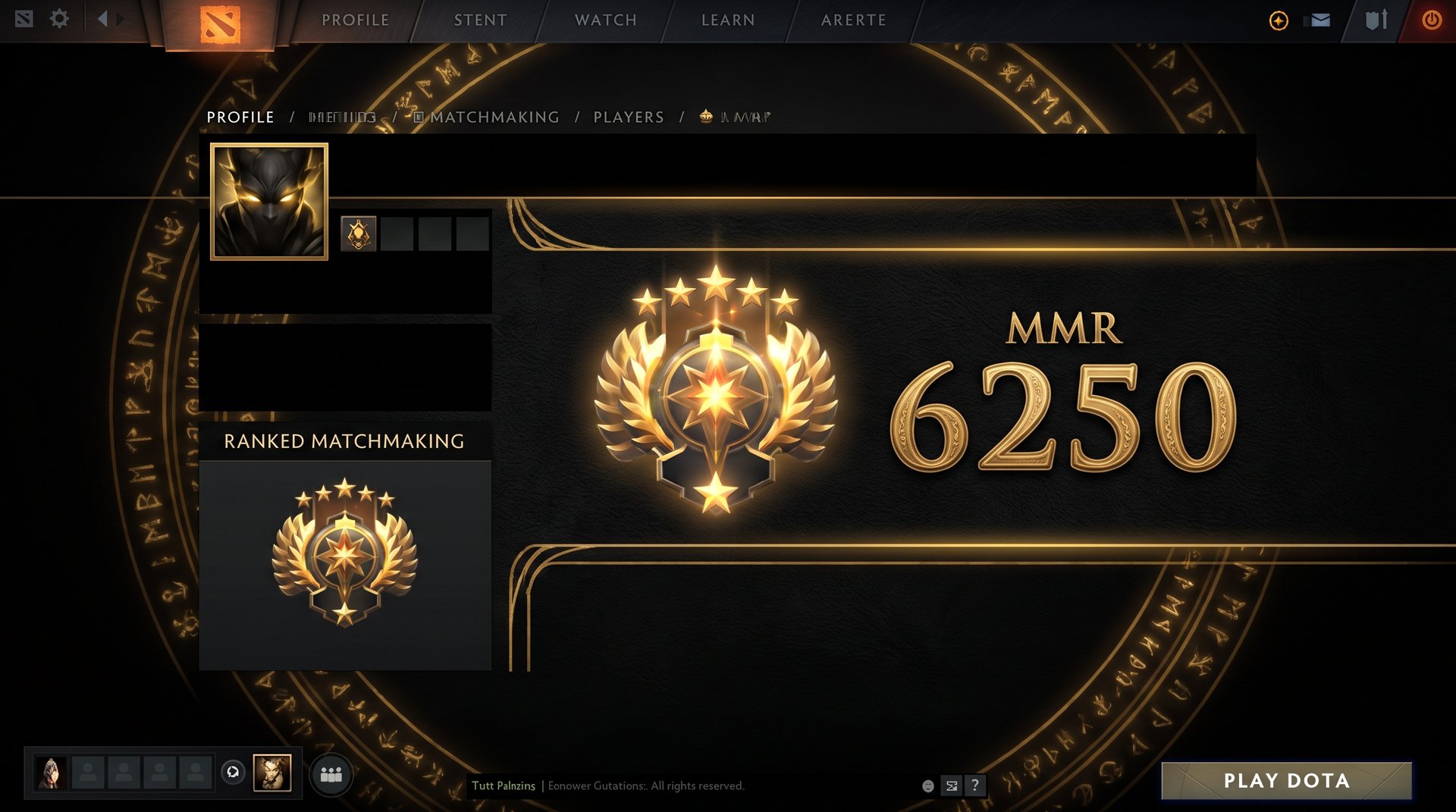
- Click the “Ranked” tab at the top of your profile page. You will see your current medal displayed prominently, with the MMR number shown below or beside it.
- The number shown is your current official MMR. There is no secondary screen or hidden panel — this is it.
What the Client Shows vs. What It Hides
The Dota 2 client shows your confirmed, post-game MMR. After each ranked match finishes, the server updates your MMR and the client reflects that the next time you open your profile. There is no hidden secondary integer in the profile view — the number you see is the number the system is using to match you.
What the client does NOT show directly is your uncertainty value. Valve uses a confidence mechanism (explained in detail below) that widens or narrows how much each win or loss shifts your MMR. This bandwidth is not displayed as a raw number in the UI — you can only infer it from how volatile your MMR feels game to game. New accounts swing further per game; established accounts move in tighter bands.
During calibration — either your first-ever ranked games on a new account, or after a seasonal reset that includes calibration matches — the client will NOT show a live MMR until calibration is complete. You see a calibrating icon with a match progress counter. Once all calibration games are done, your starting MMR appears in the Ranked tab.
Why the Client Is the Most Reliable Source
The client’s MMR is authoritative because it communicates directly with Valve’s servers with no intermediary. Third-party tools (Stratz, Dotabuff) must wait for match data to propagate through the public API before they can update their records. If you need to know your exact MMR right now — not an hour ago, not yesterday — open the client.
Method 2: How to Check Your MMR on Stratz
Stratz (stratz.com) is a community-built Dota 2 statistics platform that reads from Valve’s public API. It stores historical match data and presents it in a more analytical format than the client — including an MMR history graph that shows exactly when you peaked, when you dropped, and how your trajectory has looked over weeks or months.
Step-by-Step Instructions
- Go to stratz.com in your browser.
- In the search bar at the top, type your Steam username or paste your Steam profile URL (for example, steamcommunity.com/id/yourusername).
- Select your account from the dropdown results.
- On your Stratz profile page, look for the MMR graph in the Overview section. This chart shows your MMR over time with individual data points for each recorded game.
- Hover over any point on the graph to see the exact MMR Stratz recorded at that moment and which match it corresponds to.
Why Stratz Requires a Public Steam Profile
Stratz pulls all data from the Dota 2 API, which means your Steam profile and match history must be set to Public for Stratz to populate your data. If your profile is private, Stratz will show either no data or only partial data from before you changed the privacy setting. To make your profile public:
- Open Steam and click on your username in the top-right corner.
- Select “Profile” then “Edit Profile.”
- Under “Privacy Settings,” set “Game Details” to Public.
Once set to public, Stratz will begin recording your data as soon as your next completed match is processed by the API — typically within 10-30 minutes of match completion.
What Stratz Is Best Used For
Beyond MMR history, Stratz gives you hero winrates broken down by bracket, lane performance metrics, GPM and XPM averages versus your peers, and detailed role performance. If you want to identify which hero in your pool has the highest winrate at your specific MMR range, Stratz’s community data is a genuinely useful resource. The per-role performance breakdown can also reveal whether you are performing significantly better in one role than your overall MMR would suggest — actionable information for deciding where to focus your ranked queue.
Method 3: How to Check Your MMR on Dotabuff
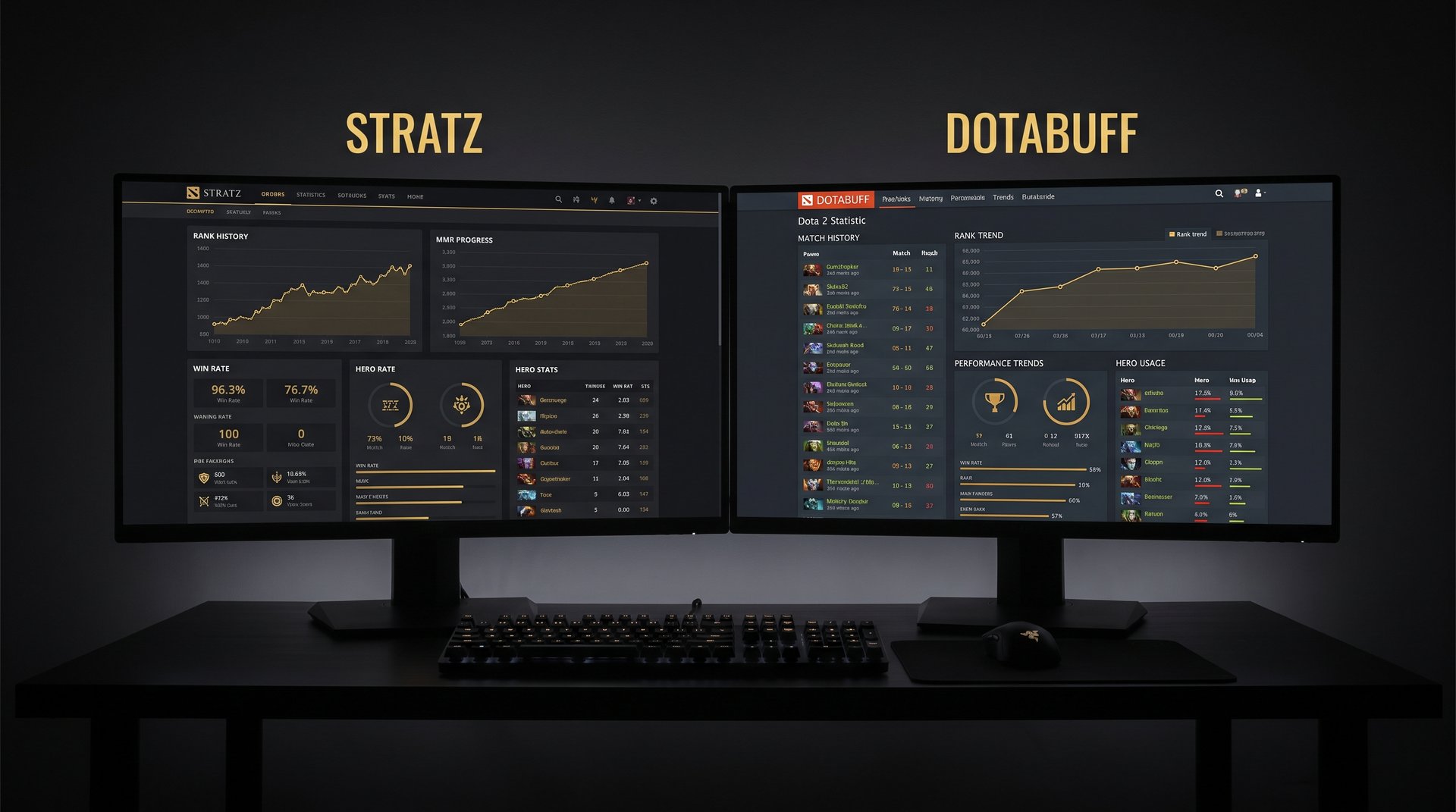
Dotabuff (dotabuff.com) is the other major Dota 2 statistics platform and one of the most established tools in the community. It reads from the same Dota 2 API as Stratz and provides match history, hero statistics, a global leaderboard component, and an MMR history view. The user experience differs from Stratz, and many players use both depending on what they are looking for.
Step-by-Step Instructions
- Go to dotabuff.com in your browser.
- Click the search icon (magnifying glass) in the top navigation bar.
- Enter your Dota 2 player name or your Steam ID. Dotabuff also accepts direct Steam profile URLs. If you have a common name, searching by Steam ID (which you can find in your Steam profile URL) is more reliable.
- On your profile page, your current MMR is shown in the stats header section. Scroll down to the Ratings section to see your historical MMR graph.
Dotabuff’s Privacy Requirements
Like Stratz, Dotabuff requires your match data to be public in your Steam settings. Dotabuff also has a paid tier called Dotabuff Plus, which unlocks more detailed team fight analysis, hero matchup statistics, and itemization recommendations. The basic MMR history view and current MMR display are free. No paid account is required to check your MMR or review your recent matches.
Some players find that Dotabuff shows “N/A” for MMR even with a public profile. This typically happens when: the relevant matches were played before you set your profile to public, the specific game was an abandoned match that Valve excluded from the rating history, or there was a temporary API outage during that match’s processing window. You can trigger a manual refresh on Dotabuff by connecting your Steam account and using the “Update” option on your profile page.
Where Dotabuff Stands Out
Dotabuff’s hero and item database pages are particularly well-organized, and the site has one of the largest community-contributed datasets for hero winrates in the current patch. For checking whether a specific hero is worth spamming to climb in your current bracket, Dotabuff’s per-bracket hero statistics are widely used by coaches and high-MMR players as reference points. Dotabuff also offers “Trends” data showing how heroes have shifted in winrate across recent patches.
Why Your MMR Looks Different Across Tools
This is the question that sends players searching for “hidden MMR” explanations. The actual answer is simpler: the three tools show the same number at different points in time, and you are usually looking at them at a moment when they have not all caught up yet.
Your in-game MMR is updated the moment your match result is processed by Valve’s server — typically within seconds of the game’s post-game screen appearing. The third-party tools (Stratz, Dotabuff) need to query Valve’s API, receive the match data, process it on their end, and update their stored records. This pipeline introduces a delay that is usually somewhere between 10 minutes and 2 hours, depending on server load and API queue depth.
If you play three games in rapid succession, your client might show 3,950 MMR while Stratz still shows 3,900 — because Stratz has only processed one of the three matches so far. Wait a few hours and the numbers will converge to the same value.
| Scenario | Client Shows | Stratz / Dotabuff Shows |
|---|---|---|
| Right after a game ends | Updated immediately | Old number (API not yet synced) |
| 30 to 60 minutes later | Current | Usually current or 1 game behind |
| Several hours later | Current | Matches the client |
| Profile set to private | Current | No MMR data visible |
| During calibration | Hidden until calibration complete | No MMR data (match results recorded) |
Hidden MMR and Valve’s Confidence System Explained
“Hidden MMR” is one of the most persistent myths in the Dota 2 community. Let us be direct: Valve does NOT maintain a completely separate hidden MMR that runs in the background and differs meaningfully from the number you see in your profile. The displayed integer is the real rating. What Valve DOES have is a confidence system that affects how fast your visible MMR changes — and understanding this system explains a lot of the “my MMR feels wrong” experiences players describe.
What the Confidence System Actually Does
Valve uses a rating methodology that tracks not just your score but your rating deviation — also called uncertainty or confidence. When your uncertainty is high (new account, returning from a long break, just finished seasonal calibration), each match result shifts your MMR more dramatically. This is how a player calibrating fresh can jump 50+ MMR from a single dominant win, while a veteran with 5,000 games moves exactly 25-30 per match regardless of performance margin.
The confidence system means that your displayed MMR is more “provisional” when uncertainty is high. After calibration you might land at 3,500, but the system’s internal model treats this as an estimate with a wide band around it — the model would not be surprised if you were actually a 3,200 player or a 3,800 player. As you play more games and results accumulate, the uncertainty narrows and your MMR becomes a progressively more stable representation of your skill.
This is the experience players describe as “my MMR feels volatile” — and they are correct. Early in a season, after calibration, or after returning from a break, the number moves faster and does not feel as settled. But it is not hidden; it is the system actively trying to calibrate your position as fast as possible.
Behavior Score and Matchmaking: Separate System
Behavior score affects which matchmaking pool you are placed into — players with low behavior scores are more likely to be paired together in lobbies with higher rates of abandonment and communication issues. This can feel like a separate “low-priority MMR pool.” But behavior score does not alter your MMR number itself. If your account shows 3,200 MMR and your behavior score has dropped to 4,000, your MMR is still 3,200. You are just matched in worse lobbies until you improve your behavior score through normal play. The two systems run in parallel but do not cross-contaminate their core values.
MMR vs. Your Medal: Why They Don’t Always Match
Your Medal (Herald through Immortal) is a visual representation of the MMR bracket you have reached within the current ranked season. Critically, the Medal reflects your seasonal peak MMR at the point when you crossed the bracket threshold — it does not update in real time as your MMR changes match by match.
This creates a common disconnect that confuses many players:
- You might display a Legend 3 medal but your current MMR might have dropped significantly below the Legend bracket after a rough patch of games. Your profile shows the medal, but the number underneath tells the real story of where you are right now.
- Conversely, you might be grinding upward and your numeric MMR has already crossed the threshold for the next medal, but the visual badge has not yet reflected the change. A client restart or opening a new lobby usually triggers the medal badge to update.
Understanding this gap is important if you care about your visual rank display — for example, if you are targeting a specific medal before a season ends or before a team tryout. The number in the Ranked tab is what will determine your actual bracket standing, regardless of what the badge currently looks like.
| Medal | Approximate MMR Range (2026) | Notes |
|---|---|---|
| Herald | 0 — 769 | Widest bracket; new and returning players common here |
| Guardian | 770 — 1,539 | Basic mechanics being learned |
| Crusader | 1,540 — 2,309 | Where itemization awareness starts mattering |
| Archon | 2,310 — 3,079 | Largest segment of the active ranked population |
| Legend | 3,080 — 3,849 | Consistent map awareness expected |
| Ancient | 3,850 — 4,619 | High-level decision-making; competitive draft awareness |
| Divine | 4,620 — 5,420 | Near-professional level play |
| Immortal | 5,420+ | Top leaderboard; regional ranking unlocked |
The ranges above are approximate and shift each season as Valve adjusts thresholds based on overall rank distribution. If your MMR puts you near a demotion threshold or you want to lock in a specific medal before the season ends, a targeted push is sometimes the most practical option. TeamSmurf’s Immortal-ranked boosters specialize in exactly this kind of precision climb — you can see the full range of options at our Dota 2 MMR boost page.
Tool Comparison: Client vs. Stratz vs. Dotabuff
Here is a side-by-side breakdown to help you decide which tool to use for each specific need:
| Feature | Dota 2 Client | Stratz | Dotabuff |
|---|---|---|---|
| Current MMR (live) | Yes — always accurate | Delayed by API sync | Delayed by API sync |
| MMR history graph | No | Yes (free) | Yes (free) |
| Peak MMR by season | Medal only | Yes | Yes |
| Hero winrate at your MMR | No | Yes | Yes |
| Per-role performance stats | No | Yes | Limited on free tier |
| Match details | Limited | Detailed | Detailed |
| Requires public Steam profile | No (your own data) | Yes | Yes |
| Real-time update | Yes | No (10 min to 2h lag) | No (10 min to 2h lag) |
| Free to use | Yes | Yes (Plus tier optional) | Yes (Plus tier optional) |
| Best use case | Checking live MMR now | Trend analysis, hero data | Hero meta data, patch trends |
When Your MMR Goes “Hidden” and How to Handle It
There are two main scenarios where you cannot see a clear MMR number in the Dota 2 client, and each one has a different handling approach.
Scenario 1: New Account Calibration
When you play ranked for the first time on a new account (or a fresh account), Valve requires a series of calibration matches before assigning a visible MMR. During calibration, the system is observing your performance, adjusting internal confidence estimates, and deciding on a starting MMR. You see a calibrating indicator with a match counter. Once calibration finishes, your initial MMR appears in the Ranked tab.
Calibration is typically around 10 ranked matches. Your performance in these games has a significant impact on your starting MMR — playing high-impact heroes you are comfortable with, avoiding tilted sessions, and maintaining a good early-game impact all push the calibration outcome higher. Stratz and Dotabuff will record the match results during calibration but cannot display your MMR number until it appears in the API after calibration ends.
Scenario 2: Seasonal Reset and Recalibration
At the start of each new Dota 2 ranked season, all players go through a partial recalibration period. Your MMR is reset within a certain range and recalibration games are played to re-anchor your position. During this window, your visible MMR typically fluctuates more than usual — this is the confidence system actively re-establishing your position.
The best approach for recalibration is to play your best heroes in focused, high-effort sessions. The confidence band is wide during recalibration, which means both wins and losses carry more weight. Variance in calibration outcomes can place players hundreds of MMR above or below their pre-season level depending on this run of games. If you want to protect a specific MMR floor or target a medal upgrade coming out of recalibration, our comprehensive MMR boosting guide walks through the strategic options in detail.
One practical note: if you have a seasonal recalibration coming up and want to start it at the best possible position, finishing the prior season as high as possible — even with a small boost from professionals — gives you the best statistical starting point for the calibration run. This is one of the most common use cases for Dota 2 boosting services among returning players.
How to Use Your Real MMR to Actually Improve
Knowing your exact MMR is the starting point, not the destination. Here is a practical framework for turning that number into actionable improvement work.
1. Contextualize Your MMR With a Percentile
An MMR number in isolation is difficult to interpret. Use Stratz or Dotabuff to check what percentage of active ranked players are below you in MMR. If you are in the top 15% of ranked players, your improvement path is different than if you are in the bottom 40%. Stratz shows your percentile ranking directly on your profile overview. This reframes your MMR as a position in the competitive ecosystem rather than an abstract integer.
2. Track Separate Hero MMR Contributions
Both Stratz and Dotabuff calculate your estimated win contribution on a per-hero basis and compare your hero winrates against the baseline for your bracket. If your Templar Assassin winrate is 61% but your overall MMR is flat, the data is telling you something: either you are not playing enough games on your best hero, or there is a ceiling in your execution that raw winrate is not capturing. This hero-level breakdown is one of the most actionable datasets available from third-party tools — and unavailable entirely in the native client.
3. Analyze Trend Direction, Not Point Values
Your MMR on any single day is noise; your trend over 100 games is signal. If Stratz shows a flat line for 200 games despite you winning roughly as many as you lose, that indicates something structural — perhaps you are winning solo-impact games but losing team-coordination games, or you are picking up MMR then dropping it back through tilt sessions. Flat-line periods often respond better to process changes (hero pool, game selection timing, session length limits) than to skill work alone.
4. Set a Bracket Target With Clear Math
Once you know your real MMR, you can calculate the gap to your target bracket precisely. If you are at 3,100 MMR (low Legend) and targeting Ancient (3,850+), you need 750 points. At 25 MMR per win and a 55% winrate over a large sample, you need roughly 150 net games — which at 5 games per session is 30 sessions, or about 6 weeks of consistent play. That kind of math helps you decide whether grinding is the right path or whether a professional boost makes more sense for your timeline. TeamSmurf’s Dota 2 boosting services are handled by Immortal-ranked players who move through specific bracket ranges efficiently.
Know Your MMR — Now Set Your Target
You have the tools to see exactly where you stand. If the gap between your current MMR and your goal is bigger than you want to climb through solo queue alone, TeamSmurf’s Immortal-ranked boosters can close it — safely, efficiently, and on your schedule.