Dota 2 Twitch Drops Guide: TI 2026 Edition

Every year at The International, Valve turns passive viewing into active rewards. The Twitch Drops system lets you earn in-game items — loading screens, chat wheels, sprays, and more — just by watching official Dota 2 tournament streams. For TI 2026 in Shanghai, that tradition continues, and this guide walks you through every step so you do not miss a single drop.
Whether this is your first TI or your tenth, the setup takes less than five minutes. The hard part is remembering to actually watch the streams — and this guide will tell you exactly which ones count, which tiers require how much watch time, and how to claim everything you earn without losing it to an expired window.
In This Guide
What Are Dota 2 TI Twitch Drops?
Dota 2 Twitch Drops are in-game cosmetic items that Valve distributes to viewers who watch qualifying Dota 2 streams on Twitch. The system is built into Twitch’s native drops platform — the same technology used across many games. The key difference with Dota 2 is that drops are tied specifically to official Valve tournament broadcasts, not everyday streamer channels.
At The International — Dota 2’s flagship world championship — the drops program runs throughout the entire event, from Group Stage through the Grand Finals. The longer you watch, the more items you accumulate. Items land directly in your Dota 2 inventory and are typically tradeable on the Steam Community Market, making them genuinely valuable to collectors and players alike.
The program has run at every TI since TI9, and each year Valve expands the item selection. For TI 2026, held in Shanghai, the drops system is expected to follow the same proven structure: multiple tiers of rewards unlocked by cumulative watch time, with rarer items gated to later stages of the event. The full TI 2026 drop list had not been officially published at time of writing — Valve typically announces it within the week before the event starts. Based on the patterns from TI10, TI11, TI12, and TI2024, we can tell you exactly what to expect and how to prepare now so you are ready on day one.
How Dota 2 Twitch Drops Work — Step by Step
The system sounds complex but the mechanics are straightforward. Here is the exact process to go from zero accounts linked to first drop received:
Step 1: Make Sure You Have the Accounts You Need
You need two things: a Steam account with Dota 2 installed (or launched at least once to create your inventory), and a Twitch account. Both are free to create. If you only play Dota 2 and have never used Twitch before, sign up at twitch.tv — it takes under two minutes. You do not need Twitch Prime or any paid subscription to participate in the drops program. Free accounts qualify for every drop tier.
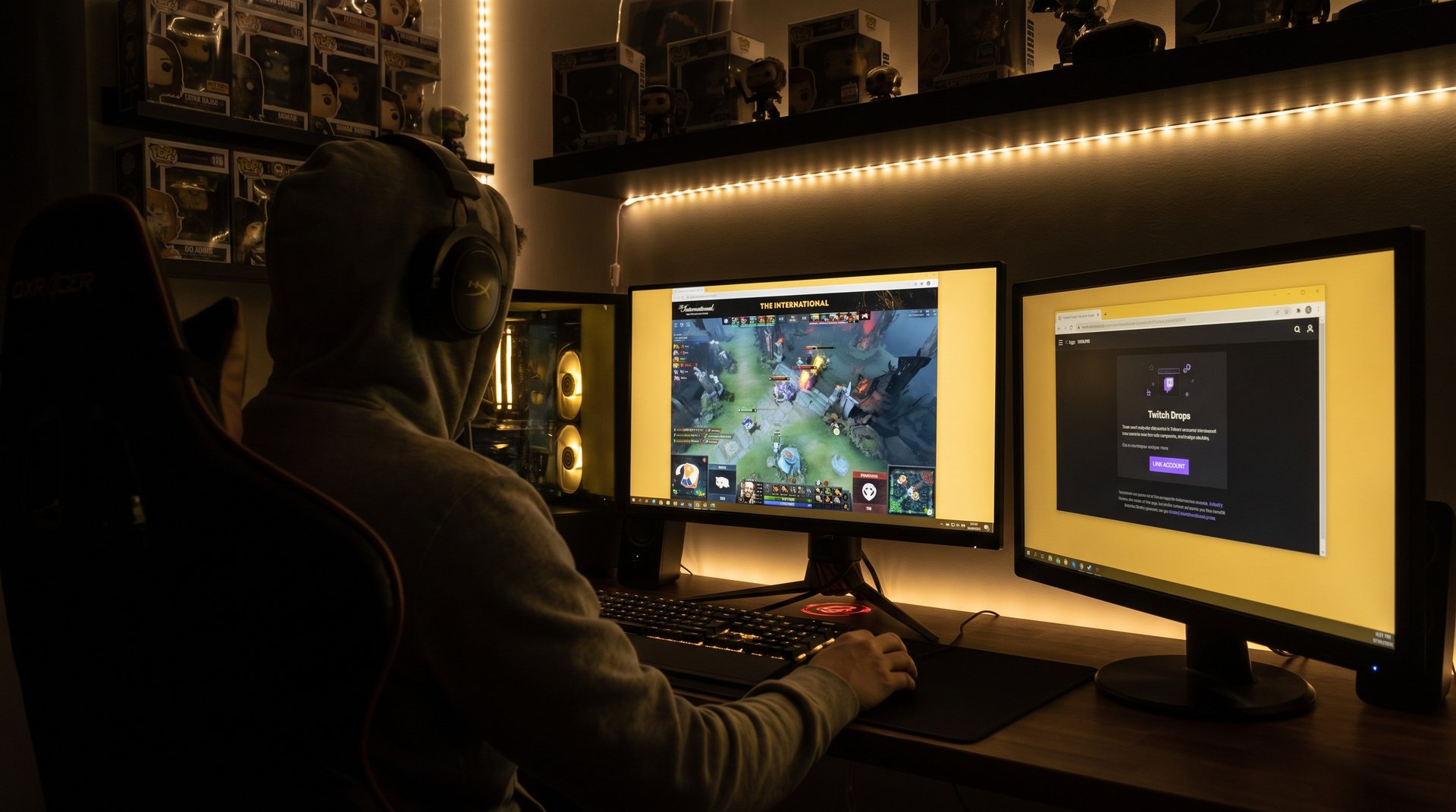
Step 2: Link Your Steam Account to Twitch
This is the single most important step — and the one most players skip, then wonder why their drops never appeared. There are two ways to complete the link.
Option A: Go to your Twitch account settings, then navigate to “Connections.” Scroll down to find the Steam option and click to authorize. Option B: Go to store.steampowered.com, log in to your account, then look under Account Settings for the “Link a Twitch account” option. Either path creates the same two-way connection.
Once linked, Steam and Twitch share your watch-time progress so Valve can automatically deposit drops into your Dota 2 inventory. The link only needs to be done once — if you participated in previous TI drops and still use the same accounts, the connection should still be active. Verify it before TI 2026 starts just to be safe.
Step 3: Find and Watch Qualifying TI 2026 Streams on Twitch
Not every Dota 2 stream on Twitch qualifies for drops. Only official Valve-authorized channels carry the drops-enabled status. During TI 2026, the primary eligible channel is the official DOTA2 Twitch channel, plus any Valve-authorized co-stream partners broadcasting in regional languages.
Look for the “Drops Enabled” badge in the stream preview card or in the stream info panel while watching. It appears as a small icon — usually a gift box or similar symbol — confirming that watch time on this stream counts toward your drop progress. Individual streamers re-broadcasting the tournament do NOT qualify unless Valve has explicitly listed them as co-stream partners. Always verify the badge before settling in for a long session.
Step 4: Claim Your Drops from the Twitch Inventory
Drops do not land in your Dota 2 inventory the moment you earn them. You must claim them manually from Twitch first. Navigate to twitch.tv/drops/inventory, where all earned but unclaimed drops appear. Click “Claim” on each available drop. After claiming, the item typically appears in your Dota 2 inventory within a few hours — though during peak TI event traffic, processing can take up to 24 hours.
Set a recurring reminder to check your Twitch drops inventory every two to three hours during TI 2026. Unclaimed drops expire within a set window (typically 24 hours) after becoming claimable, and there is no way to recover them once expired. Twitch sends notifications, but platform notifications are unreliable — build the manual check into your routine.
Which TI 2026 Streams Qualify for Drops?
This is where most players lose drops unnecessarily. They spend hours watching a commentary stream from their favorite Dota personality, then discover at the end of the event that none of their watch time registered because that channel was not officially drops-eligible. Here is exactly how to avoid that mistake.
Valve designates specific channels as drops-eligible for each stage of TI. Based on prior years, the pattern breaks down like this:
| Stream Type | Drops Eligible? | How to Confirm |
|---|---|---|
| Official DOTA2 Twitch channel | Yes — always during TI | Drops badge always present for TI |
| Valve-approved co-streams | Yes — if on official partner list | Check dota2.com or Valve’s X/Twitter |
| Regional language broadcasts (Spanish, Chinese, Russian) | Often yes — if Valve-authorized | Look for Drops Enabled badge on stream |
| Independent streamer re-broadcasts | No | No badge = no drops credit |
| VOD replays after the live broadcast | No | VODs never count, even official ones |
| YouTube or other platforms | No | Drops program is Twitch-exclusive |
The safest approach is always to start with the official DOTA2 Twitch channel (twitch.tv/dota2). That channel is guaranteed drops-eligible during every stage of TI 2026. If you prefer watching a co-stream in your language, verify the drops badge is present before settling in for a long session.
One thing to note from prior years: Valve sometimes enables drops only for certain stages. Group Stage may have drops running, but a separate set of items become available at Playoffs, and the most valuable drops are reserved for Grand Finals day. Watch time accumulated during the Group Stage counts toward Group Stage drop tiers, but may not count toward drops campaigns that only activate for Playoffs. Check the active campaigns in your Twitch drops inventory to see which thresholds are live at any given time.
TI 2026 Drop Schedule and Watch Tiers (Based on Prior TI Patterns)
As of writing, Valve has not published the official TI 2026 drop tier breakdown. However, every TI since TI9 has used a consistent tiered structure where cumulative watch time unlocks progressively rarer items. The thresholds below are estimates modeled on historical TI drops programs — treat them as planning targets rather than confirmed numbers, and check the official Dota 2 website and your Twitch drops inventory for the actual values once TI 2026 begins.
| Watch Time (Approximate) | Tier | Typical Item Type | Stage Available |
|---|---|---|---|
| 1 hour cumulative | Tier 1 | Loading screen or spray | Group Stage onward |
| 3 hours cumulative | Tier 2 | Chat wheel or emoticon set | Group Stage onward |
| 6 hours cumulative | Tier 3 | Voice line pack or announcement pack | Playoffs onward |
| 10 hours cumulative | Tier 4 | Rare cosmetic or hero immortal item | Grand Finals week |
| Grand Finals bonus | Exclusive tier | Event-specific limited item | Grand Finals stream only |
The key insight that most guides miss: you do not need to watch continuously. Total watch time across the entire event is what counts. If you catch one hour of Group Stage, two hours of Semifinals, and four hours of Grand Finals, that is seven cumulative hours — enough for Tier 3 drops based on historical thresholds. Plan your viewing around matches you genuinely want to watch rather than forcing yourself through every group stage game.
There is also an important nuance around Grand Finals drops. In prior years, Valve has released an exclusive Grand Finals-only item that required watching a minimum amount of the Grand Finals broadcast itself — not just reaching a total watch time milestone from earlier in the event. The specific requirement varies, but viewers who want the most exclusive items should plan to watch the Grand Finals live even if they have already hit high total watch times from earlier rounds.
What Items Can You Earn at TI 2026?
The specific TI 2026 drop items will be announced by Valve shortly before or at the start of the event. Valve’s track record gives us a reliable preview of the item types. Here is what to realistically expect:
Loading Screens
Loading screens are the most common low-tier drop and the item most viewers earn first. They display during match loading and typically feature TI-specific artwork — showcasing the host city (Shanghai for TI 2026) alongside iconic Dota heroes in tournament settings. Loading screens from TI events are collectible items that often trade at a premium on the Steam Market during the live event window, when supply is limited to current viewers.
Chat Wheels and Emoticons
Chat wheels broadcast short audio clips or text phrases to teammates during a match. TI-exclusive chat wheel sounds reference iconic caster moments, memorable plays, or player highlights from the tournament itself. They become more meaningful as the event progresses and creates memorable moments that get immortalized as chat wheel content. Emoticons are similar — small animated images used in post-game chat that signal you were watching TI live.
Sprays
Sprays are in-game cosmetics that let you mark terrain or minimap positions during a match. TI sprays typically feature tournament logos, competing team artwork, or hero-specific designs. They have no gameplay effect but are a recognized status symbol in party play, showing teammates that you watched the biggest Dota 2 event of the year.
Voice Lines and Announcement Packs
Voice line packs replace specific hero voice responses with TI-exclusive alternate lines. Announcement packs replace the default game announcer with a custom voice — typically a player or caster associated with TI. These mid-tier drops affect every game you play for as long as you use them, making them among the most impactful cosmetics in terms of daily presence in the game.
Hero Immortal Items
The highest-tier TI drops are hero-specific immortal items — rare cosmetics with unique animations, visual effects, and sound designs that cannot be obtained anywhere else in the game. These are the chase items at TI. Earning an immortal drop requires significant total watch time and is typically gated to the Grand Finals stage. In past years, immortal drops have consistently commanded strong prices on the Steam Community Market because their supply is permanently limited to viewers who completed the watch requirements during TI itself.
Tips to Guarantee Your Dota 2 TI 2026 Drops
After supporting thousands of Dota 2 players in their ranked journey, the TeamSmurf team has seen every version of the TI drops frustration — players who watched 15 hours and received nothing because their accounts were not linked, viewers who missed the Grand Finals exclusive because they forgot to claim a previous tier, and fans who spent entire sessions watching a non-eligible stream by accident. Here are the seven tips that prevent all of these mistakes:
Verify the Account Link the Day Before TI 2026 Starts
Do not assume the link is active because you did it last year. Open Twitch settings on the day before TI begins and confirm the Steam connection appears under Connections. If you changed your Steam password recently or revoked any app authorizations, the link may be silently broken. Re-linking takes 30 seconds and prevents losing every hour of watch time you accumulate.
Keep the Official Twitch Channel Open in a Background Tab
Even at low volume or muted, watch time counts on the official DOTA2 channel. You can focus on work, watch a preferred commentary co-stream in another window, or do anything else — as long as the official channel is open and active in your browser or the Twitch app. This eliminates any risk of losing watch time to a non-eligible stream by accident. For best reliability, use the Twitch desktop app rather than a browser tab.
Claim Drops Every Two to Three Hours — Do Not Batch Them
Set a recurring calendar reminder for every three hours during TI event days. Go to twitch.tv/drops/inventory and claim everything available. Platform notifications are unreliable — build the manual check into your routine. A drop that expires unclaimed is gone permanently, and Steam Support does not restore missed Twitch claims regardless of circumstance.
Watch Live — VODs Do Not Count
Only live stream viewing on drops-eligible channels counts toward your progress. Watching a match replay after it aired, even on the official DOTA2 Twitch channel, accumulates zero drop progress. If you miss a session, you miss the watch time. Plan your viewing schedule around the live match times and treat VOD replays as supplementary viewing only.
Disable Ad Blockers for twitch.tv During TI
This is counterintuitive but important. Ad blockers frequently interfere with the background tracking mechanism that Twitch uses to count watch time for drops. If your drop progress stalls or does not update when you expect it to, try disabling your ad blocker for twitch.tv, or switch to the Twitch desktop app which handles drops tracking more reliably than browser extensions can interfere with.
Check the Official Dota 2 Social Channels for Eligible Stream Updates
Valve sometimes adds co-stream partners to the eligible list mid-event, especially as it moves into Playoffs and Grand Finals. Follow the official Dota 2 accounts on X/Twitter and check dota2.com during TI week. If your preferred regional language stream becomes drops-eligible during the event, you will want to know immediately so your watch time switches to counting.
Verify Your Twitch Email Is Confirmed
Twitch requires email verification for most drops programs. If you created your Twitch account years ago and never verified the email address, drops may silently fail to credit even when your watch time appears to count. Check Twitch settings and confirm your email status before TI 2026 begins. A 30-second fix prevents the most frustrating possible outcome — watching everything, claiming from Twitch, and having items never appear in Dota 2.
Common Problems and How to Fix Them
Even following every step, drops issues occur for some players. Here are the most common problems and the fastest fixes:
Drops Are Not Showing in My Twitch Inventory
Check three things in order: First, confirm your Steam and Twitch accounts are linked under Twitch Settings — Connections. Second, confirm you were watching a drops-eligible stream by checking whether the drops badge was present. Third, verify that the drops campaign for that tier was active during the time you watched — some tiers only run during specific stages. If all three check out, wait up to 24 hours. Twitch drops run on a processing queue and during high-traffic TI events, delays of several hours are normal.
I Claimed from Twitch but Nothing Appeared in My Dota 2 Inventory
Claiming on Twitch initiates a transfer that can take 12 to 48 hours during peak TI periods. Wait the full 48 hours before escalating. If the item still has not appeared, contact Steam Support with a screenshot of your Twitch claimed drop as proof. Steam Support can investigate inventory delivery failures when you have evidence of the successful claim.
The Drop Campaign Shows It Ended Before I Finished Watching
Each drop tier runs its own campaign with a specific end date and time. If the campaign window closed before you hit the watch time threshold, that tier is missed — there is no extension and no workaround. Plan ahead by reading the campaign end times displayed in your Twitch drops inventory and scheduling your viewing accordingly. Prioritize higher tiers toward the end of the event, since that is when the campaigns for rarer items typically run.
My Watch Time Progress Bar Is Stuck
Watch time progress stalling is almost always caused by one of four things: watching a non-drops-eligible stream, an ad blocker preventing Twitch’s tracker, a browser extension conflict, or being logged out of Twitch without noticing. Try refreshing the page, switching to the Twitch desktop app, or clearing your browser cache. Re-confirm the drops badge is present on the stream you are watching before continuing.
Is Twitch Drops Worth It for Casual Players?
The short answer is yes, emphatically. Tier 1 and Tier 2 drops require as little as one to three hours of total watch time across the entire TI 2026 event — an amount most fans will hit naturally just by watching matches they are already interested in. There is no purchase required, no grind, and no skill involved. You receive exclusive cosmetics that exist only for viewers of TI 2026, which means they hold real value in the Steam market long after the event ends.
For players who are also trying to climb the ranked ladder during TI season, there is a useful balance to strike. Watching TI is genuinely educational — the drafts, itemization decisions, hero timings, and teamfight executions at TI directly translate to better decision-making in pub games. Many of the heroes dominating TI draft pools become priority picks in the patches immediately following the event, so understanding why pro teams value them helps you transition faster when the meta shifts.
But fifteen or more hours of passive viewing is also fifteen hours you are not playing. The most effective approach is to watch intelligently — take notes, observe patterns, identify the two or three heroes from the TI meta you want to add to your pool — then apply those lessons in queue. For players looking to accelerate their bracket climb specifically during and after TI season, our guide to the best Dota 2 boosting services covers every legitimate option available in 2026, and our complete MMR boosting guide explains exactly how the process works from start to finish. If you have questions about whether it is the right choice, our breakdown of whether Dota 2 boosting is safe addresses the most common concerns directly.
The post-TI patch — the major Dota 2 update that lands in the weeks after The International — typically resets enough of the meta that players who adapt quickly gain significant ground on those who do not. TI watching positions you to understand what that patch is likely to prioritize. Combining that meta knowledge with practical coaching to apply it efficiently is the combination that actually moves the MMR needle, rather than passive absorption through screen time alone.
Ready to Climb After TI 2026?
The post-TI patch resets the meta and creates a short window where informed players gain MMR fast. TeamSmurf’s Dota 2-only specialists are ready to help you hit your next milestone before the season rankings lock in.
Get MMR Boost Book a Coach