


Dota 2 Outposts and Watchers Explained: Capture Rules, XP, Vision and Timings

Outposts and Watchers are two of the most misunderstood map objectives in Dota 2. Players argue about whether they are even worth contesting. Guides from 2021 still describe XP bonuses that no longer exist. Newer players have no idea what a Watcher actually does versus what an Outpost does.
This is the reference page. It covers the exact capture rules, what you do and do not get when you own an outpost, how Watchers grant vision and for how long, and the timing windows where contesting either objective is genuinely worth it. Numbers first, strategy second.
If you want the strategy layer — rotation timings, when to contest and when to skip — see our companion post on outpost and Twin Gate rotation tricks most players miss.
In This Guide
What Are Outposts in Dota 2?
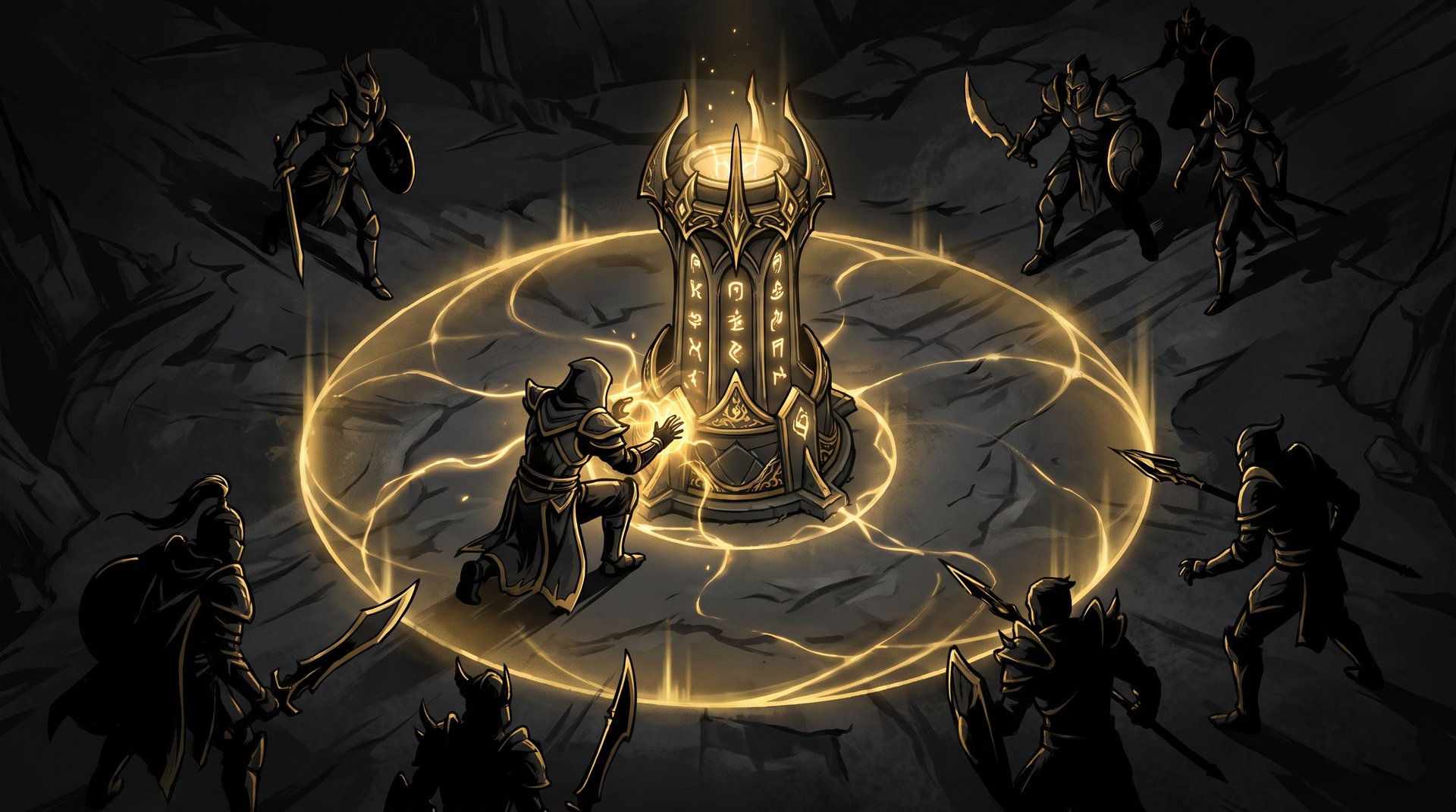
Outposts are neutral structures placed on the Dota 2 map that can be captured by either team. When your team owns an outpost, you can use a Town Portal Scroll to teleport directly to it, making it a fast travel point anywhere on the map outside your base.
Outposts were introduced in patch 7.23 (the Outlanders update) in 2019. At that point, they did two things: granted bonus XP to the capturing team and provided vision of the surrounding area. Both of those mechanics have since been removed. As of the current patch (7.41f), outposts provide one benefit only: a teleport destination.
That single benefit is still significant. Map positioning determines most Dota 2 games, and being able to skip the transit time between your base and a contested part of the map — especially near objectives like the Tormentor or Roshan — directly translates to MMR. An outpost on the Tormentor side lets your team respond to a pick or rotate to an objective roughly 4 to 6 seconds faster than a cold TP to that area.
Understanding the exact rules — what interrupts the capture, how many heroes speed it up, and what you are actually competing for — is the foundation of using outposts correctly. The numbers are below.
Outpost Locations on the 7.41 Map
There are currently four outposts on the Dota 2 map. Patch 7.33 (New Frontiers) expanded the map by approximately 40 percent and added two new outposts to go with the two original ones, which were repositioned at the same time.
| Outpost | Location | Strategic Value |
|---|---|---|
| Radiant Near-Roshan Outpost | Dire-side jungle, between Tormentor and Twin Gate | Fast TP into Roshan pit or Tormentor; key late-game objective access |
| Dire Near-Roshan Outpost | Radiant-side jungle, between Tormentor and Twin Gate | Same as above on Radiant side |
| Radiant Safe-Lane Outpost | Edge of map near Radiant Tier 1 / Twin Gate area | Fast travel to offlane / early game pressure point |
| Dire Safe-Lane Outpost | Edge of map near Dire Tier 1 / Twin Gate area | Same as above on Dire side |
The two outposts near the Tormentor pits are the most-contested ones. They sit between the stairs leading down to the Tormentor and the Twin Gate, meaning a single teleport puts you in range of two major objectives. In patch 7.41, Valve repositioned the Watcher near one of these outposts to sit between those two stairways, increasing the density of objectives in that area.
The safe-lane outposts near the Twin Gates are used primarily for cross-map rotations. Capturing one of these early lets your support threaten the enemy’s farming jungler from an unexpected angle. At lower brackets they are often ignored entirely — which is a mistake we cover in the timing section below.
How to Capture an Outpost
To begin capturing an outpost, right-click it (or use the attack order key A + left-click). This starts a channeling animation. The outpost has no HP — it cannot be attacked in the traditional sense. The only way to take control is to complete the channel.
Channel Time by Number of Heroes
The channel time scales down significantly with more heroes on the outpost. Bringing a second hero cuts the time in half; four or five heroes speed it down to under two seconds (wiki data, via dota2.fandom.com).
| Heroes Channeling | Channel Time | Notes |
|---|---|---|
| 1 hero | 6 seconds | Default; slowest and most interruptible |
| 2 heroes | 3 seconds | Half time; worth sending two if the area is safe |
| 3 heroes | 2 seconds | Fast enough to finish before most rotations arrive |
| 4 heroes | 1.5 seconds | Near-instant; usually only viable in late fights |
| 5 heroes | 1.2 seconds | Full team; effectively instant |
What Interrupts the Channel
The capture channel is cancelled by any of the following:
- Taking damage from an enemy hero or Roshan
- Using an ability or item (most active items break the channel)
- Moving away from the outpost
- Being stunned, silenced in a way that breaks channeling, or displaced
There is one important penalty for channeling: the enemy team gets vision of your channeling hero for the duration of the channel. This is not just the normal fog-of-war behavior — the game actively reveals your position to the enemy. If you are solo-channeling an outpost deep in enemy territory at minute 7, their supports know exactly where you are.
Who Can Channel?
Only heroes, hero clones, Lone Druid’s Spirit Bear, and illusions that can cast abilities can initiate a channel. Regular summons and neutral creeps cannot capture outposts.
Recapture
Once an outpost is captured by one team, the enemy team can immediately begin rechanneling to take it back. The channel time rules are identical. There is no cooldown or lockout after a capture — the outpost can change hands as quickly as both teams can complete the channel sequence.
What Capturing an Outpost Gets You in 7.41f
The Teleport Point (Current Benefit)
A captured outpost is a valid destination for a Town Portal Scroll teleport. Any allied hero on your team can TP to an owned outpost the same way they would TP to a tower — by selecting the outpost as the target with a TP scroll in hand.
The teleport channel time to an outpost is the same as the standard TP-to-a-building time. For the outposts located near the Tormentor and Roshan pit areas, the TP channel time was specifically reduced from 6 seconds to 4 seconds in patch 7.37, making those two outposts faster entry points to those critical late-game objectives.
Crucially, the outpost itself does not provide eyes on the destination. You are teleporting into the general area, not into vision. You will arrive near the outpost and then have to use wards or hero vision to see what is actually happening. This is a common mistake: players TP to an outpost expecting to see the Roshan pit, but they still land blind if there is no ward there.
XP Bonus — the History (Removed in Current Patch)
If you have read an older guide and are looking for the XP numbers, here is the full history. Outposts have granted and then lost the XP mechanic multiple times across major patches:
| Patch Era | XP Mechanic | Status |
|---|---|---|
| 7.23 (Outlanders, original) | Bonus XP on capture; then at 5-minute intervals on the game clock | Introduced |
| 7.23e | Changed from 5-minute to 10-minute intervals; formula XP = 20 x Min – 50 | Modified |
| 7.29 | XP = 2 x current minute, provided every minute while controlled (25 XP/min rate) | Modified again |
| 7.36c+ | XP grant fully removed; outpost no longer provides any experience | Removed |
| 7.41f (current) | No XP from outposts | Removed — teleport only |
The removal of outpost XP was part of a broader rework that also removed the passive vision they used to provide (covered below). The goal was to simplify the structure’s role: it is now purely a fast travel point, and its strategic value is purely geographic. This makes it easier to evaluate — the only question is whether the teleport destination is worth the channel time and risk.
If you are playing to climb MMR and want an edge in the early game, our MMR boosting guide covers the decision-making frameworks professional boosters use to judge whether any map objective is worth the time investment.
Passive Vision — Also Removed
Like the XP bonus, the vision mechanic was removed in the same round of changes. Historically, captured outposts provided 1,400 radius flying vision and 500 radius True Sight around the structure. This made them effectively permanent wards at key jungle locations. That mechanic no longer exists in the current patch. Vision near outposts must come from Observer or Sentry Wards, Watchers (see next section), or hero positioning.
Watchers Explained
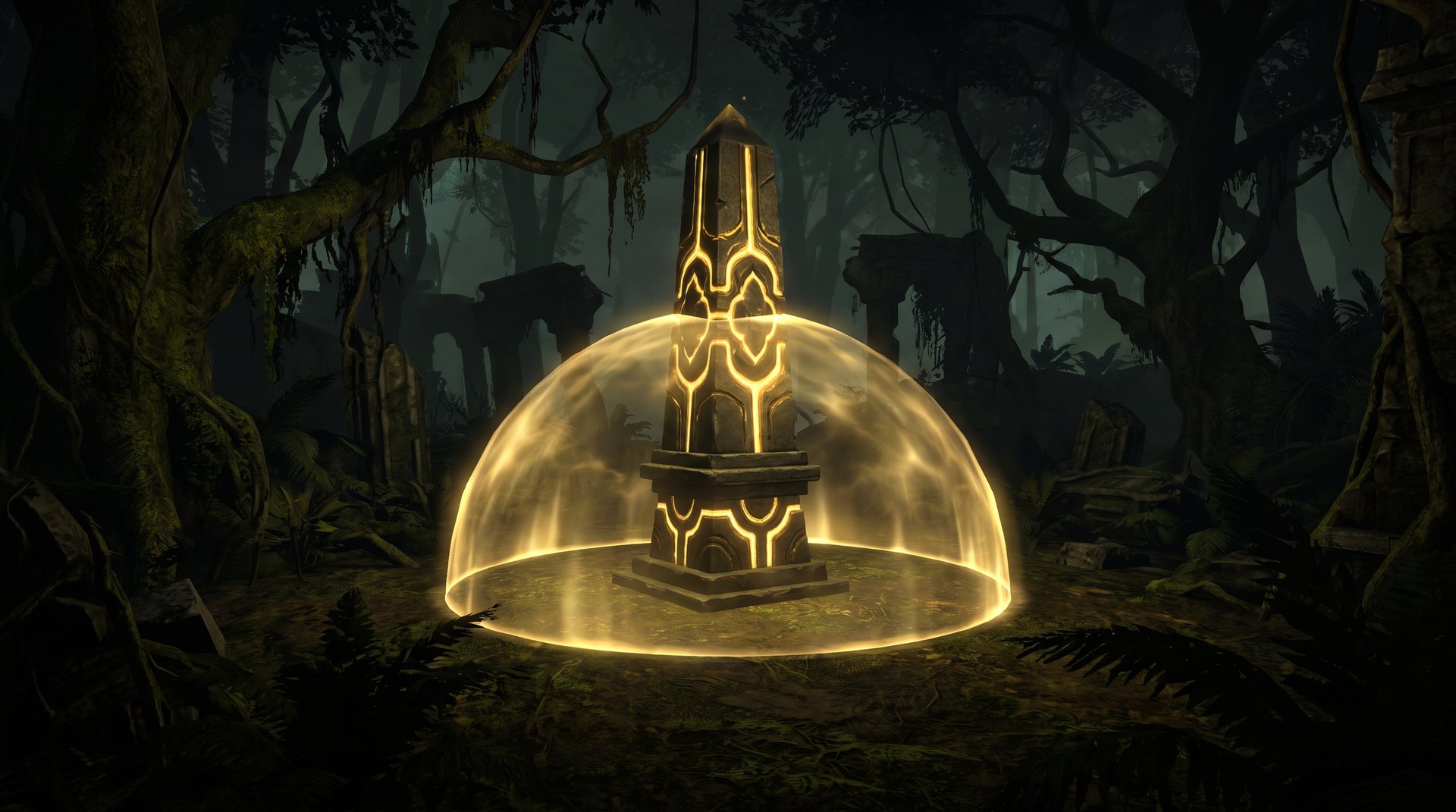
Watchers are a separate system from Outposts entirely. They are small obelisk-like structures placed throughout the Dota 2 jungle that function as capturable ward points. When your team controls a Watcher, it provides map vision for a fixed duration. Watchers were added in patch 7.33 (New Frontiers) as part of the expanded map.
The key difference from Outposts: Watchers give vision but not a teleport point. Outposts give a teleport point but not vision. They are complementary, not redundant.
What Watchers Look Like
Watchers appear as small stone obelisks with a glowing light at their peak. When inactive and neutral, the light is dim. When captured by your team, they glow in your team color. When the enemy controls a Watcher in your jungle, you can see the hostile color on it if you have vision of the Watcher’s position. In patch 7.36, Valve added a quality-of-life feature: holding Alt shows the vision radius of all Watchers on the map, so you can quickly assess which ones are covering dangerous zones.
Watcher Locations
The number of Watchers on the map has changed across patches. Patch 7.40 removed several watchers — specifically those nearest the mid-lane and those near the small water camps south and north of the Tier 1 tower. The exact current total varies slightly by version, but there are approximately 8 to 10 Watchers placed throughout the extended jungle areas (community data, dota2.fandom.com, July 2026). Their positions cover key vision gaps in the expanded jungle that traditional Observer Ward placement cannot easily fill.
In patch 7.41, Valve moved one Watcher near the Tormentor pit to sit between the stairs leading down to the Tormentor and the stairs leading up to the Twin Gate — a deliberate decision to increase the value of the objective cluster in that area.
Watcher Capture Mechanics and Vision
How to Capture a Watcher
Right-click a Watcher to begin channeling it. The channel time is 1.5 seconds — significantly faster than capturing an Outpost. This means a solo hero can take a Watcher in a brief, hard-to-contest window. The same interruption rules apply: movement, damage, or ability use breaks the channel.
| Watcher vs Outpost | Watcher | Outpost |
|---|---|---|
| Channel time (1 hero) | 1.5 seconds | 6 seconds |
| Benefit | Vision for 7 minutes | Teleport point (permanent while owned) |
| Vision provided | Yes — of the surrounding area | No (removed) |
| XP provided | No | No (removed) |
| Teleport destination | No | Yes — with TP scroll |
| Recapture by enemy | Yes — disables vision | Yes — takes ownership |
Vision Duration and the 7-Minute Window
When you capture a Watcher, it activates and provides vision of its surrounding area to your team for exactly 7 minutes. After 7 minutes, the Watcher deactivates automatically and returns to a neutral state. It can then be captured again by either team.
This creates a natural rhythm: Watchers need to be refreshed roughly every 7 minutes. A support who captured a Watcher at minute 5 should plan to revisit it around minute 12 if that vision is still relevant to the game state. At lower MMR brackets, Watchers are captured once and forgotten — and then at minute 12 an enemy hero is in your jungle unseen because the watcher expired (Stratz community observation, 2026).
Disabling an Enemy Watcher
If the enemy team controls a Watcher and you want to remove the vision it provides, you can right-click it to channel for 1.5 seconds. Successfully completing the channel disables the Watcher — it does not grant you ownership, it simply turns it off and returns it to neutral. You can then immediately recapture it yourself with another 1.5-second channel, but this requires two separate channels.
The more aggressive play is to disable the enemy Watcher right before an objective contest. Kill an enemy Watcher near Roshan at minute 24, and their supports lose the eyes they placed before the fight. This is a technique regularly used at high MMR. If you want to learn how to apply this kind of map-awareness discipline systematically, a session with a Dota 2 coach will map it to your specific bracket and playstyle.
Roshan Kill No Longer Grants Watcher Control
In the original 7.33 design, killing Roshan converted all Watchers on the map to your team. That mechanic was removed in a subsequent patch. Roshan kills no longer affect Watcher ownership. Each Watcher must be captured individually.
Outposts, Watchers and Twin Gates Together
Twin Gates were also added in patch 7.33. They are located symmetrically on both sides of the map and allow any hero to teleport instantly between the two gate locations. A hero standing near one Twin Gate can click the other to travel to it in a fraction of a second — no channel time, no TP scroll cost.
The interaction between Outposts and Twin Gates is deliberate and map-design-intentional. The safe-lane outposts are physically close to the Twin Gate entry points. Capturing a safe-lane outpost and then using the Twin Gate gives you a cross-map rotation path that consumes one TP scroll but gets you to the opposite side of the map in seconds. This effectively doubles the value of each safe-lane outpost in the mid and late game when rotations are time-critical.
For the near-Roshan outposts, the relationship is slightly different. Those outposts are adjacent to the Tormentor, the Twin Gate, and the Roshan pit — three separate objectives. Owning the outpost means you can TP into that objective cluster. Controlling the nearby Watcher means you have vision of who is contesting those objectives before you arrive. Used together, they give you both the fast travel and the reconnaissance for the same area.
The most common high-value play pattern: capture the Roshan-side outpost around minute 15 to 20, capture the adjacent Watcher for 7 minutes of vision, and use that combination to force or deny the Roshan contest of your choice. This is the “control cluster” — one point on the map where you outpost + ward + pressure simultaneously.
Timing Windows: When to Contest Outposts and Watchers
Unlike Roshan or the Tormentor, Outposts and Watchers are available immediately at the start of the game. There is no fixed spawn timer. This means the question is not “when do I go?” but “is this trade worth it right now?”
Early Game (Minutes 0-10)
The safe-lane outposts are the ones most worth contesting early. Capturing one at minute 3 to 5 costs you about 15 to 20 seconds of hero time, and it gives you a TP destination that is relevant for the entire early game. The Tormentor-adjacent outposts are deeper in enemy territory and generally not worth solo-channeling before you have ward coverage of the path to them.
Mid Game (Minutes 10-25)
This is the window when outpost ownership has the highest variance impact. Your team needs fast cross-map TP access for pickoffs and objective responses. A support or offlaner rotating through the enemy jungle to capture the deep outpost at minute 12 creates an access point for the rest of the game. The 6-second channel time means you need at minimum one other hero or a smoke screen to do this safely.
Late Game (Minutes 25+)
Outpost TP access is most critical from the Roshan fight onward. The 4-second reduced TP time to Roshan-adjacent outposts means the fight starts faster when you have the outpost, and your enemies need to channel 4 seconds of TP versus however long it takes from their own structures. Four seconds is an eternity when Roshan is at 10 percent HP.
Watchers in the late game are about denying information before major fights. Disable the enemy’s Watchers near key objectives in the 60 seconds before your planned fight. Take the Watcher yourself. Your enemies then walk into the Roshan pit without the fog of war advantage they expected.
If your goal is to climb bracket by bracket and the macro decisions around these objectives feel inconsistent, our best Dota 2 boosting services list covers the options for players who want guaranteed progress, and our guide on whether Dota 2 boosting is safe explains what the tradeoffs actually are.
Common Mistakes with Outposts and Watchers
- Channeling alone while visible. Your hero is revealed to the enemy during the channel. Solo-capturing an outpost deep in enemy territory before minute 10 is frequently fatal. Bring a second hero or use smoke.
- Expecting vision on arrival. Teleporting to an outpost does not give you eyes on the area. Many players TP to the Tormentor outpost to “check Roshan” and arrive completely blind.
- Forgetting Watcher expiration. A Watcher captured at minute 8 goes neutral at minute 15. During most active mid games, the team that captured it has moved on and no one recaptures it. Enemy supports then refresh it for free.
- Committing five heroes to an outpost. Five heroes can capture in 1.2 seconds, but committing your entire team to a neutral building during a game-state window is rarely correct. Two heroes is almost always enough when the area is safe.
- Trying to deny an outpost by standing on it. There is no “deny” mechanic for outposts. If an enemy starts channeling, the only counter is to interrupt the channel (stun, kill the hero) or to start your own channel with more heroes to complete it faster.
Frequently Asked Questions
Ready to Turn Map Control Into MMR?
Understanding outposts and Watchers is the mechanical layer. Applying it consistently under pressure in ranked games is a different skill. Our professional boosters use these exact map-control principles to gain MMR efficiently — and our coaches can transfer those habits directly to your games.
Boost My MMR Get Coaching


