How to See Your Teammates’ MMR (and Why Valve Hides It)

You are in the loading screen. Your carry’s rank badge looks fine, but something feels off — last game someone at this bracket played at a level that didn’t match their medal. You want to know: what is their actual MMR? But Dota 2 gives you nothing except a generic bronze or silver star. The exact number? Completely hidden.
Valve made a deliberate design decision to hide teammate MMR from the in-game view back in 2017. Nine years later the change is still in place. But third-party platforms pull from the public Dota 2 API and let you estimate a player’s skill level in under 30 seconds — if they haven’t set their profile to private.
This guide explains exactly how to look up teammate MMR, why Valve hid it in the first place, what the number actually tells you (less than you’d hope), and when checking truly matters versus when it just adds pre-game anxiety you don’t need.
In This Article
- Why Valve Hid Teammate MMR in 2017
- When MMR Was Public: The Full History
- How to Find a Teammate’s MMR Right Now
- Method 1 — Dotabuff
- Method 2 — OpenDota
- Method 3 — Stratz
- Tracker Comparison Table
- Why Private Profiles Block You Completely
- What the Number Actually Tells You (and What It Doesn’t)
- Calibration Lag and Core vs Support MMR
- When Checking IS Worth the Effort
- How Immortal Players and Boosters Use Tracker Data
- Why “Bypass” Tools Are Either Useless or Dangerous
- FAQ
Why Valve Hid Teammate MMR in 2017
Valve removed in-game MMR visibility as part of a matchmaking overhaul in early 2017. Before that change, players could hover over a name in the loading screen and see exact MMR values for everyone in the lobby. The results were, to put it generously, not great for community health.
The Pre-Game Tribunal Problem
When loading screen MMR was visible, the 45 seconds before a game started became a blame-assignment ceremony. Players would scan the lobby, identify the “weakest link” by raw number, and immediately open a channel of hostility directed at that player. Games that hadn’t started were already emotionally compromised. The target of this pre-game shame would often play worse because of the pressure — which confirmed the initial bias and made the behavior feel justified to whoever started it.
Valve’s internal data reportedly showed that games with a visible MMR disparity between players (even within the normal matchmaking variance range of 150-300 MMR) had measurably higher early abandon rates. Players weren’t just being rude; they were leaving games they deemed unwinnable before picking a hero. This hurt all nine remaining players, generated low-priority penalties, and clogged the replacement queue.
Smurf Identification and Witch-Hunting
Visible MMR made high-MMR smurfs trivially easy to spot mid-game. A loading screen showing one player at 8,000 MMR in a 3,000 MMR lobby was an instant red flag. While catching smurfs sounds beneficial, in practice it led to mob behavior: the other nine players would verbally abuse the smurf, refuse to play seriously, or deliberately grief the game as protest. Valve concluded this was a worse outcome than the smurf themselves — and that anti-smurf algorithms were a better tool than community vigilance.
Dodge Culture Extending Queue Times
Third-party tools in the pre-2017 era could show the MMR of everyone in your queue before the match started. Players used this to selectively decline lobbies. Not because those players were bad actors — just because someone in the lobby had an MMR they weren’t comfortable with. This behavior extended queue times across all brackets and produced a feedback loop where the dodged lobbies just found each other and the underlying skill mismatch remained.
When MMR Was Public: The Full History
Dota 2’s ranked matchmaking mode launched in November 2013. From day one, MMR was a public number visible on your Steam profile. If you knew someone’s Steam profile URL, you could check their exact rank. The number even appeared in some in-client views during the game’s early competitive period.
By 2014, dedicated Dota 2 stat tracking sites had emerged — the first generation of what would become Dotabuff, OpenDota, and Stratz. These platforms indexed the public API and made any player’s MMR searchable by name or Steam ID. What started as a way to track your own progress quickly became a tool for community gatekeeping, harassment campaigns against public streamers, and smurfing strategy.
Valve’s 7.00 patch in December 2016 — the largest update in Dota 2’s history, which introduced Talent Trees, reworked the entire map, and overhauled hero stats — also started the process of reducing MMR transparency. Initial changes made the numbers less prominent in the UI. By early 2017, the in-game loading screen stopped showing MMR at all. The only place you could see your own MMR was your personal profile page, and opponent and teammate numbers were hidden during and after games.
The community response split along predictable lines. Competitive players, coaches, and analysts hated it — they wanted the data. Casual players and streamers broadly supported it. Toxicity metrics in Valve’s internal reporting improved. The change became permanent, and nearly a decade later Valve has not reversed it. The rank badge (the visible medal tier) remains as the only in-game indicator, and that system was introduced in 2018 as the “replacement” visual for the hidden number.
How to Find a Teammate’s MMR Right Now
There is no way to see exact teammate MMR inside the Dota 2 client. But if a player has not set their Steam profile and match history to private, you can get a close estimate through third-party platforms in under a minute. Here is the exact workflow:
- When the loading screen appears, open the Steam overlay by pressing Shift+Tab.
- In the loading screen, hover over or click on a player’s hero portrait to open their Steam mini-profile panel.
- Look at the URL in their Steam profile — it will contain a 17-digit number called the Steam64 ID (for example: 76561197960287930). Copy it.
- In your browser, go to dotabuff.com/players/[Steam64ID], opendota.com/players/[Steam64ID], or stratz.com/players/[Steam64ID].
- Review their MMR estimate, hero pool, winrate, and recent matches.
If you miss the loading screen, you can also do this post-game. In the end-of-match screen, click on any player’s name — this opens their Steam profile from within the Dota 2 client. Get their ID and check the tracker after the game.
Some players have the Steam overlay disabled for performance reasons. In that case, you can use the in-game tab menu: during the pick phase, player names are sometimes visible depending on your client settings.
Method 1 — Dotabuff
Dotabuff is the longest-running and most widely used Dota 2 stat tracker, operating since 2013. It has indexed hundreds of millions of matches and produces MMR estimates based on the “rank_tier” field that Valve exposes in the public API. This field updates every time a player’s badge changes, so it reflects the player’s most recent calibration result.
What Dotabuff Shows You
- MMR Estimate — a numerical approximation based on rank badge and medal stars (for example: “3,850 MMR — Legend 1”)
- Lifetime Win/Loss record — total games played, overall winrate
- Most played heroes — sorted by game count, with individual winrate for each
- Recent matches — last 20 public games with hero, role, and outcome
- Significant heroes — Dotabuff’s algorithm for identifying which heroes this player performs best on relative to their MMR
Dotabuff Plus
The paid subscription (approximately $4-6 per month) unlocks benchmarking data — for example, how this player’s CS per minute or GPM compares to the average at their rank. It also shows ward placement heatmaps and hero matchup performance. For a simple MMR check, the free tier is sufficient.
Accuracy of Dotabuff Estimates
Dotabuff’s estimates are generally accurate to within 50-200 MMR for accounts that are public and have played within the last 30 days. The estimate is less reliable when: the player calibrated several seasons ago and hasn’t recalibrated since, the player’s badge recently changed but hasn’t been re-indexed, or there is a large gap between their Core and Support MMR.
Method 2 — OpenDota
OpenDota is a fully open-source alternative with data quality comparable to Dotabuff. It is completely free with no paywalled features, making it the preferred tool for players who want full data access without a subscription. OpenDota also provides a public REST API, which data analysts and tool developers use to build custom applications.
What OpenDota Shows You
- Win/Loss record and overall winrate
- Hero performance statistics with detailed benchmarks (CS, gold, damage per minute versus the average at that rank)
- Role classification (how often the player plays each position)
- MMR estimate (same API source as Dotabuff)
- Match-by-match breakdown with complete scoreboard data
OpenDota sometimes has a slight lag on recent matches because it relies on community members or automated systems requesting “parses” for older matches. For very recent games (within 24 hours), Dotabuff is typically faster to update.
Method 3 — Stratz
Stratz is the most visually polished of the three main trackers and offers the most advanced analytics outside of paid services. It presents MMR information as a range (for example “Ancient 2-4”) rather than a single number, which is arguably more honest about the inherent estimate error.
What Stratz Adds Beyond Raw MMR
- Lane impact score — a proprietary metric measuring how much a player affected their lane’s outcome relative to expected performance at their MMR
- Positioning heatmaps — where a player spends time on the map during each phase of the game
- Skill progression graphs — performance trend over time, useful for identifying players on an upswing versus a decline
- Itemization analysis — how this player builds versus the meta for their most-played heroes
For understanding a teammate’s playstyle rather than just their rank, Stratz is the most useful tool. If you’re preparing for a scrim or inhouse match, Stratz gives you more actionable information per player than a single MMR number.
Tracker Comparison Table
| Tracker | Cost | MMR Estimate | Hero Pool Detail | Advanced Metrics | Best Use Case |
|---|---|---|---|---|---|
| Dotabuff | Free / Plus ~$5/mo | Numerical (single value) | Good | Plus subscribers only | Quick MMR lookup, hero pool check |
| OpenDota | Fully free | Numerical (single value) | Excellent | Yes, free | Detailed stats without subscription |
| Stratz | Free / Premium | Range (e.g. Ancient 2-4) | Excellent | Yes, partially free | Playstyle analysis, lane impact |
| D2PT | Free | Top leaderboard only | Limited | No | Tracking pro and high-Immortal accounts |
Why Private Profiles Block You Completely
Valve gives players full control over who can see their match history and rank data through Steam’s privacy settings. If a player has set their profile to private, the Dota 2 public API returns nothing for that account. No tracker — Dotabuff, OpenDota, Stratz, or any other — can display their MMR, match history, or hero statistics.
Who Is Likely to Have a Private Profile?
In our experience running boosting services, certain player categories are more likely to run private profiles:
- Active smurfs — players running alternate accounts want to avoid their main account being identified through the alt’s match history
- Recently boosted accounts — a sequence of rapid wins at unusual hours is a clear tracker signal of a boost; privacy hides this
- Streamers and content creators — preventing stream snipers from pre-checking the lobby before queueing against them
- Privacy-conscious players — some people simply don’t want their gaming history publicly indexed, which is a completely legitimate preference
A private profile is not inherently suspicious. Many players with private profiles are just regular players who prefer their data offline. Combined with unusually skilled play in your bracket, it’s worth noting — but alone it means nothing.
Rank Badge vs. Full Profile Privacy
The rank badge (the visible medal icon) is a separate setting from match history privacy. Most players who set their match history to private still have their rank badge visible in-game. This is controlled by a separate Steam setting called “Game Details.” Unless a player specifically hides “Game Details,” you can still see the medal tier in your loading screen even when the tracker shows nothing.
What the MMR Number Actually Tells You — And What It Doesn’t
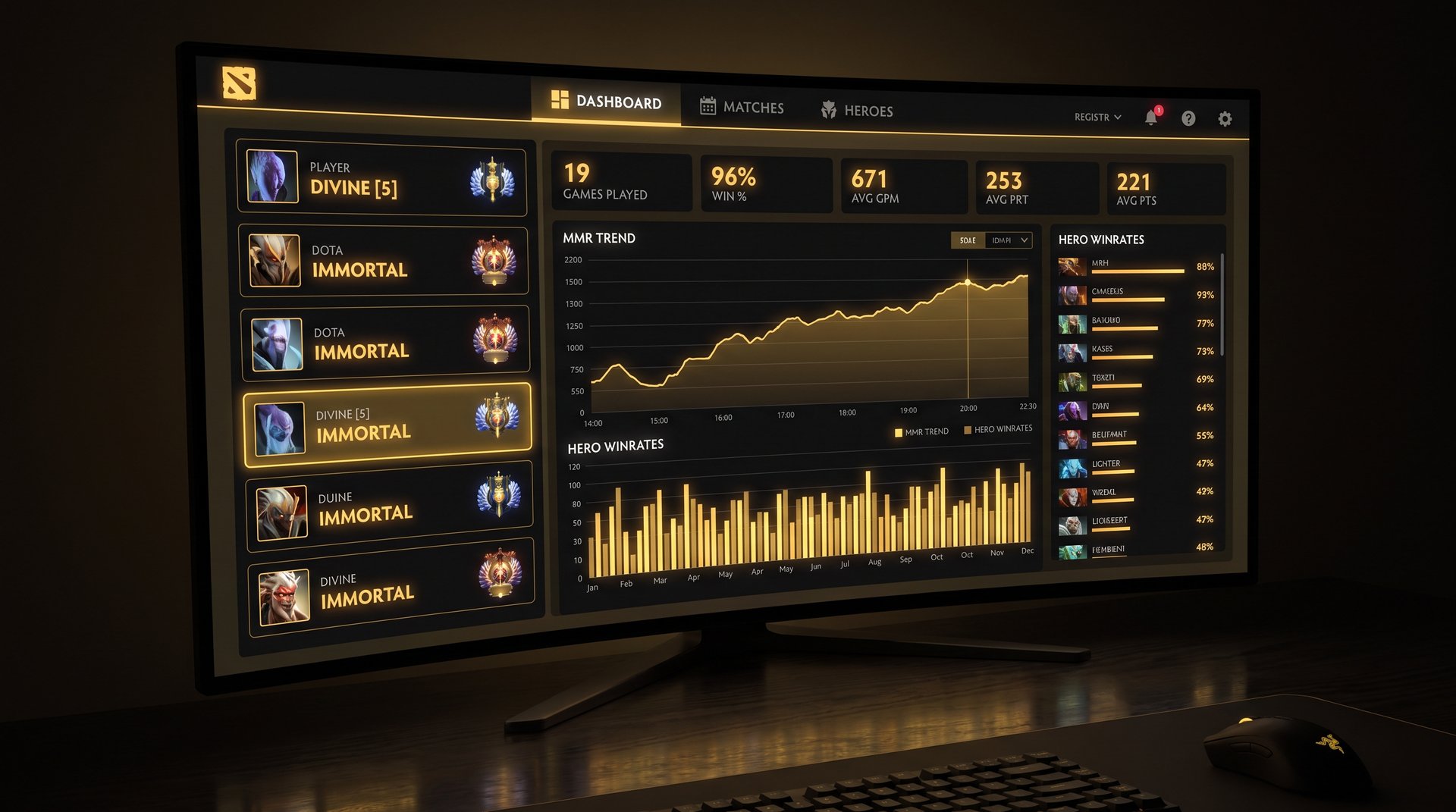
Even when tracker data is available, it is important to understand what MMR actually represents. MMR is a historical average — a snapshot of accumulated performance across weeks or months of play. It is not a real-time skill meter.
What MMR Tells You
- The general skill bracket this player has been competing in over time
- Approximately where they calibrated in their most recent placement games
- Whether their overall trajectory is upward or downward (combined with recent winrate)
What MMR Does NOT Tell You
- Whether this player is currently performing above or below their average
- Whether they are on tilt after a losing streak
- Which role they are playing in this specific game (and whether it is their primary role)
- Whether the hero they are playing is one of their best or a situational pick
- Their connection quality, ping, or packet loss today
- How well they understand the current patch (some players adapt fast; others play stale builds for weeks)
- Their behavior score, which directly affects lobby quality and the caliber of teammates around them
Calibration Lag and the Core vs. Support MMR Problem
Calibration Lag
Dota 2 players can recalibrate once per season. Many skip recalibration entirely, especially if they are on a losing streak and don’t want to risk dropping their badge. A player who calibrated as Legend two seasons ago and has been grinding since then might actually be playing at Ancient-level skill — but the tracker still shows Legend because they haven’t recalibrated.
This cuts both ways. A player who was boosted to Legend last season but has been losing games ever since might show Legend on the tracker while actually competing at Archon or Crusader level. The number reflects the calibration point, not the current state.
Core vs. Support MMR
Since role-based ranked matchmaking was introduced, Dota 2 tracks Core and Support MMR separately. A player might be Ancient 3 on Core (carry, mid, offlane) but only Legend 2 on Support. Most tracker platforms show the higher of the two values or an aggregate estimate, which means if your teammate is playing support and the tracker shows “7,200 MMR,” that number might reflect their Core performance — a completely different context.
When evaluating a teammate via tracker, always check their hero pool to understand which roles they actually play. A hero pool dominated by Juggernaut, Terrorblade, and Anti-Mage tells you this is a carry specialist — if they’re your position 5 this game, the MMR number is misleading.
Behavior Score: The Hidden Modifier
No publicly available tracker reliably displays behavior score. Yet behavior score determines the matchmaking pool quality more than most players realize. At a behavior score of 9,000-10,000 (the top band), you are matched with players who communicate constructively, rarely abandon, and complete games even when losing. At 4,000-5,000, the lobby is statistically more chaotic regardless of anyone’s MMR.
A 5,000 MMR player in a low behavior score lobby will have a significantly worse game experience than a 4,500 MMR player in a high behavior score lobby. Raw MMR tells you nothing about this variable.
When Checking IS Worth the Effort
Given all the caveats, are there situations where looking up teammate MMR is genuinely useful? Yes — but fewer than most players assume.
1. Party Queue and Stack Preparation
If you are building a 5-stack or queueing with a player you have not played with before, a quick tracker check helps you understand their hero pool, primary role, and recent form. This is legitimate draft preparation. You are not gatekeeping — you are understanding your resources before the draft starts so you can make better role assignments.
2. Scrim and Inhouse League Organization
Running an inhouse league or organizing scrims requires seeding players into balanced teams. Tracker MMR is the fastest objective measure available. Organizers typically use the Dotabuff estimate with a stated uncertainty margin of plus or minus 200 MMR when building team compositions.
3. Monitoring a Boost in Progress
If you have ordered an MMR boosting service, the tracker lets you verify the boost is happening without logging into your account. Reputable services like TeamSmurf play games that appear in the public API, assuming your match history is public. You can watch game results accumulate and MMR trend upward in real time. Our full MMR boosting guide explains how to monitor a boost safely.
4. Legitimate Smurf Detection
If a player in your Herald-Archon bracket is performing at a skill level clearly disconnected from their rank badge, tracker data can confirm suspicion. A 3-month-old account with 200 total games, an 80% winrate, and performance benchmarks far above their stated bracket is a strong indicator of a smurf or boosted account. File a report through the official Dota 2 report system — Valve’s own detection algorithms use similar signals and respond faster to reported accounts.
How Immortal Players and Professional Boosters Use Tracker Data
We asked several of the TeamSmurf boosters — all Immortal-rank players with 7,000+ MMR — how often they check opponent and teammate MMR before games. The consistent answer surprised casual players: almost never for live games.
At the top of the Immortal leaderboard, the active player pool is small — typically 500-2,000 players depending on region. You encounter the same people repeatedly. By the time you have 3,000 games at that level, you recognize names and know hero pools from personal experience. The tracker is redundant information when you have played against someone a dozen times in the past month.
Where high-MMR players and boosters DO use tracker data:
- Pre-boost verification — before starting a boost order, verifying the account’s starting MMR matches what the client reported
- Hero pool scouting for party queue — when queueing with new party members, understanding their best heroes helps with role distribution
- Coaching prep — coaches use tracker data to identify specific patterns to address before a session (for example, a client who always underperforms on a particular hero)
At lower brackets (Herald through Legend), where the player pool is enormous and players rarely encounter the same opponent twice, tracker data is more relevant in theory. But experienced coaches and analysts note that players at these ranks spend too much time worrying about teammates and too little reviewing their own play. The single biggest MMR lever in your control is your own game — not your teammates’.
Why “Bypass” Tools Are Either Useless or Dangerous
Every few months, a tool or website claims to “reveal hidden MMR” or “show opponent MMR in real time even for private profiles.” Without exception, these tools fall into one of three categories:
- Repackaged tracker data — they are simply querying Dotabuff or OpenDota and presenting the same public information with a different UI and a claim of uniqueness
- Outdated cached data — the tool scraped public API data months or years ago and is showing stale numbers as if they were current
- Credential phishing attacks — the most dangerous category. These “tools” require you to log in with your Steam credentials “to grant permissions.” They steal your password and hijack your account.
There is no legitimate way to bypass a properly configured private Steam profile. The privacy setting is enforced at the server level by Valve. Your local Dota 2 client does not receive opponent MMR numbers — they are not in the data package that Valve sends to your machine. A tool that claims to extract a number that was never transmitted to you in the first place is lying.
If account security matters to you — and it should, given the value of a calibrated Dota 2 account — treat any tool requiring your Steam password with extreme skepticism. Valve’s official Steam Guard and two-factor authentication are your primary defenses, but not entering your credentials into third-party tools is the first line of defense.
Using Tracker Data the Right Way
The most effective use of tracker data is not looking at the MMR number first. Instead, build a richer picture:
- Top 5 heroes by game count — what this player has the most practice on. If you need someone to play a specific role, check whether their top heroes match that role.
- Recent winrate (last 20 games) — a player on a 3-12 run is statistically likely to be tilted or in a rough patch regardless of their overall MMR. A player on an 8-2 run may be performing above their base level.
- Role distribution — OpenDota and Stratz show what percentage of games are played in each position. A player who is 90% position 1 across 2,000 games is a carry specialist; asking them to support is a risk.
- Account age vs. game count — a 3-month-old account with 500 games is not a new player. Something about that account’s history does not add up normally.
Will Valve Ever Make Teammate MMR Visible Again?
The community discussion resurfaces every year, typically after a frustrating losing streak where someone insists they would have played differently with better pre-game information. Valve’s official position, stated in various matchmaking blog posts, is that they prioritize reducing toxic interactions over providing more data transparency.
The most commonly requested compromise is post-game MMR visibility — showing everyone’s exact MMR on the end-of-match screen after the game has ended. This would provide the data while avoiding pre-game blame assignment. Valve has not implemented this despite consistent community requests. Based on their track record, it seems unlikely in the near term.
The current rank badge system — which was introduced in 2018 as a more human-readable replacement for raw MMR numbers — was specifically designed to convey approximate skill tiers without the granularity that enables number-based gatekeeping. Valve considers the badge system a feature, not a limitation.
Focus on What You Can Actually Control
The most honest advice any coach or analyst can give you: the time you spend worrying about teammate MMR is time not spent on the things that actually move your rank. Every 30 minutes you spend checking trackers is 30 minutes you didn’t spend reviewing a game replay, learning a new hero’s mechanics, or watching how an Immortal player handles a situation you struggle with.
Teammate quality is a variable you cannot control. If your bracket produces consistently poor game experiences, the sustainable solution is to either grind your way out of it through skill improvement — which takes hundreds of hours — or, if your time is limited, use a professional Dota 2 boosting service to move you into a bracket that matches your actual gaming goals.
Stop Worrying About Teammates. Let Us Handle It.
TeamSmurf pairs you with verified Immortal boosters who dominate every bracket. We use the same third-party tracker data to confirm your starting MMR and let you monitor every game in real time via Dotabuff. Transparent, fast, and safe — with a rank guarantee on every order.